Handle bookings
In provider mode, tap Bookings. Your bookings are in five tabs:
| Tab | What's in it |
|---|---|
| Requests | New bookings waiting for you to accept or decline. Each shows how long you have left (Expires in 5 h 20 min). |
| Upcoming | Accepted bookings that haven't started. |
| In progress | Jobs you're on the way to or working on. |
| Completed | Finished jobs. |
| Cancelled | Bookings that were declined, expired or cancelled. |
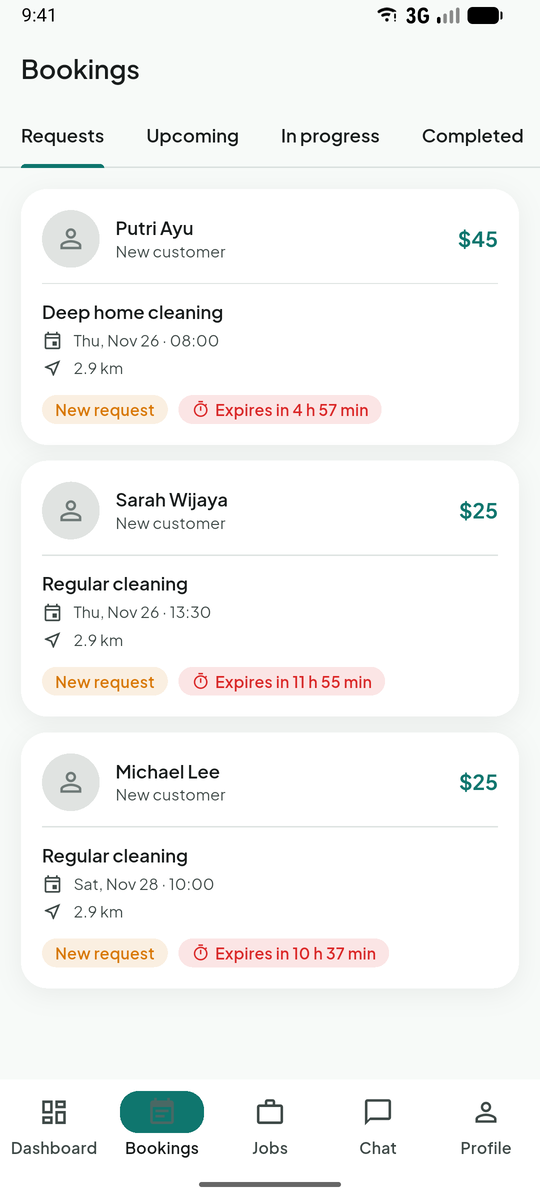
Accept or decline a request
Open a request to see the service, date and time, what You earn after commission, the customer's notes and photos, and the customer's rating from other pros (or New customer).
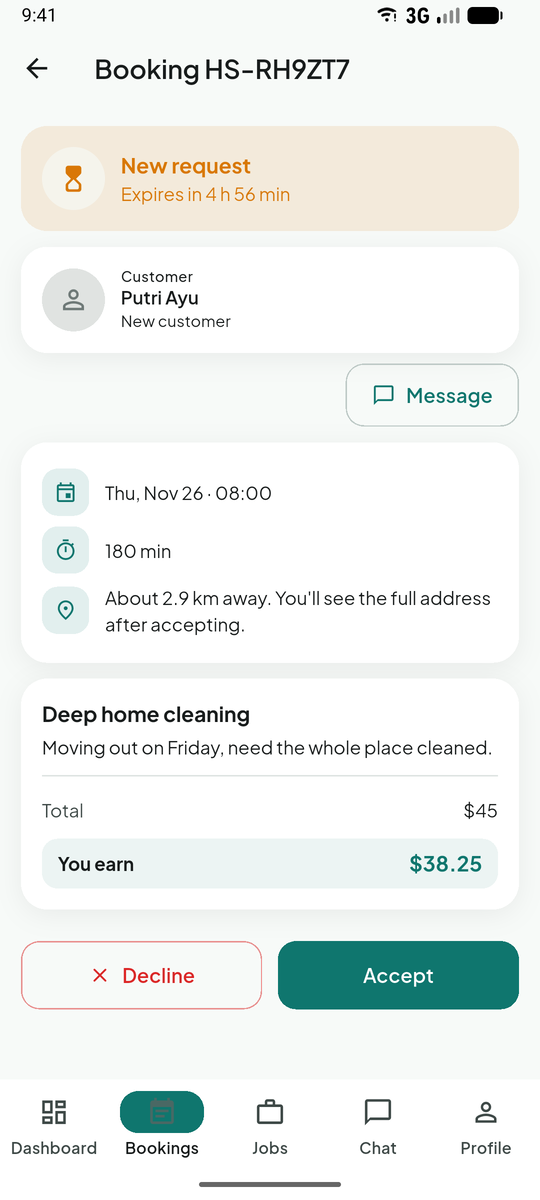
Before you accept, you only see the rough location (About 3 km away). The full address appears after you accept.
- Tap Accept and confirm. The customer is told right away.
- Tap Decline and pick a reason: Not available at that time, Too far away, Not a job I do or Other reason. You can add a note for the customer. The customer is refunded.
Requests you don't answer in time expire, and the customer is refunded.
Do the job
Open an upcoming booking. The buttons at the bottom follow the job:
- I'm on my way: tells the customer you're heading over. Use Navigate to open the address in your maps app and Call or Message to reach the customer.
- Start job: when you arrive and begin work.
- Complete job: when the work is done. Add photos of the finished work (optional). The customer is asked to confirm.
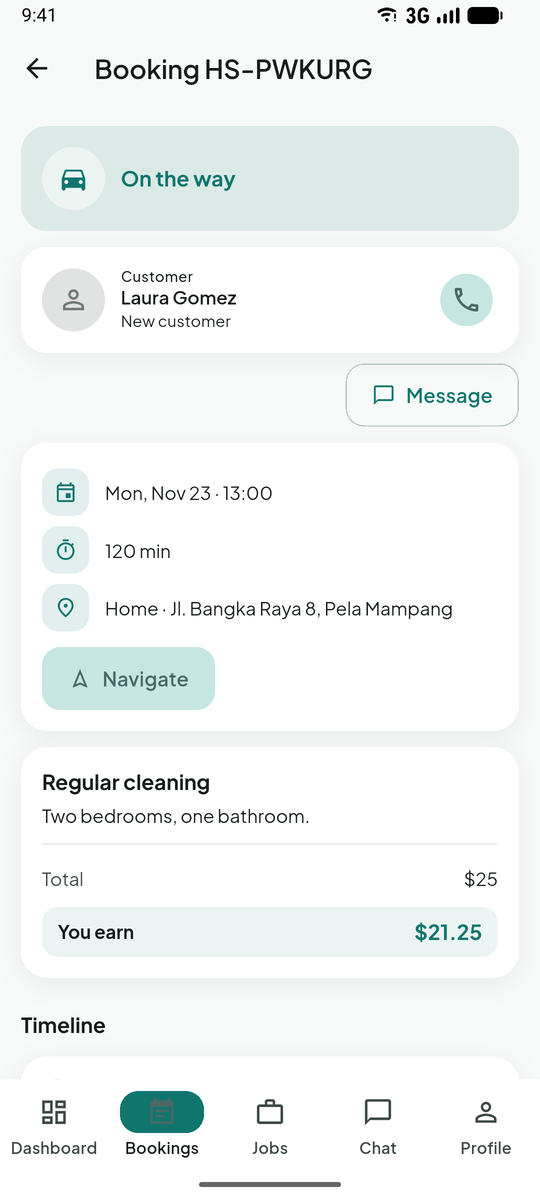
The booking then shows Waiting for the customer to confirm. Once the customer confirms (or the waiting time passes), it's Completed and the payment is released to you.
Cash jobs
For a booking paid in cash, tap Cash received after the customer pays you, and confirm. The marketplace's commission on that job is added to what you owe; see Earnings.
Rate the customer
After a completed job, tap Rate the customer to give 1 to 5 stars and an optional comment. Other pros see the customer's rating when they get a request.
Cancel a booking
If you can't make it, open the booking and tap Cancel job. The customer gets a full refund. Cancelling often can lower your ranking in search results, so use it only when you must.