Create an account and sign in
You need an account to book, post jobs, chat and pay. One account works for both customer and provider mode.
Create an account
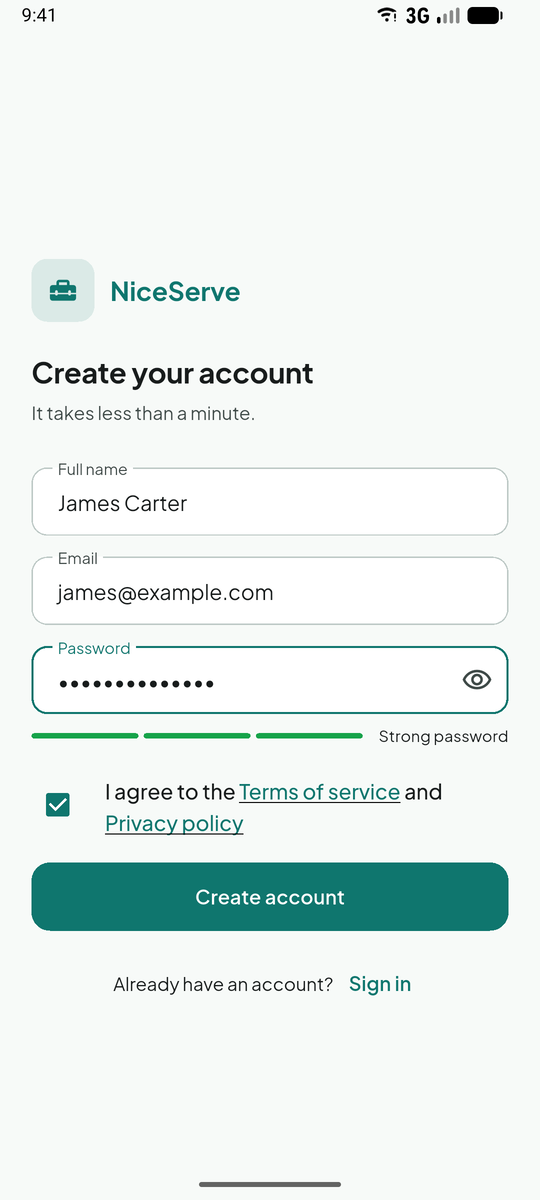
- On the sign-in screen, tap Create an account.
- Enter your Full name, Email and a Password of at least 8 characters. The bar under the password shows whether it is weak, fair or strong.
- Tick I agree to the Terms of service and Privacy policy. Tap either link to read them.
- Tap Create account.
Verify your email
Right after you register, the app sends a 6-digit code to your email.
- Open the email and type the code into 6-digit code.
- If it hasn't arrived, check your spam folder, then tap Resend code (available after a short countdown).
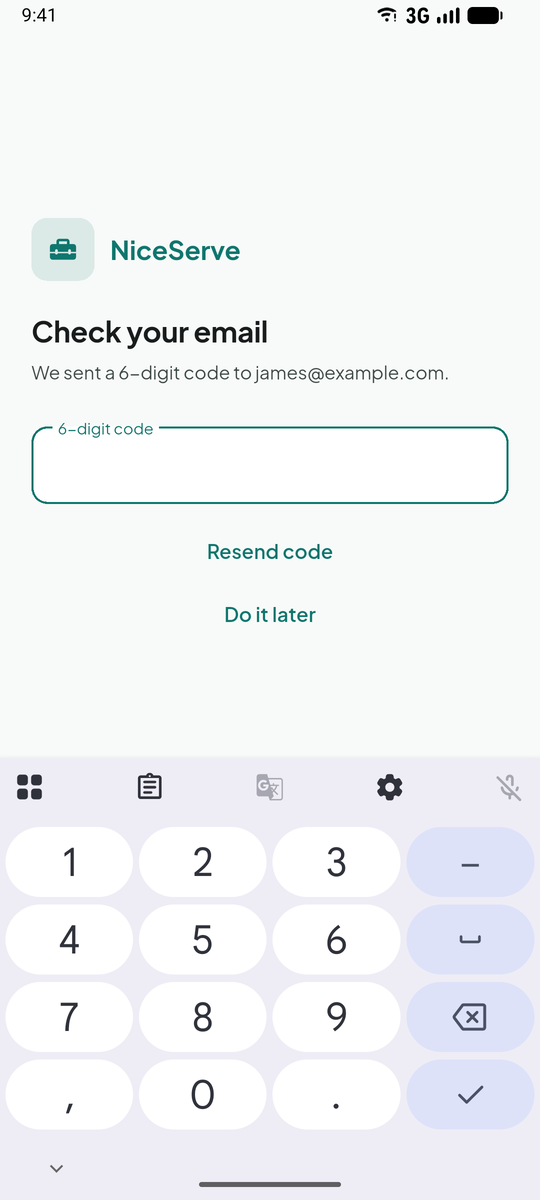
You can tap Do it later and verify another time. Codes expire after a while; if the app says the code has expired, ask for a new one.
Sign in
Enter your email and password and tap Sign in. Tap the eye icon to show or hide the password.
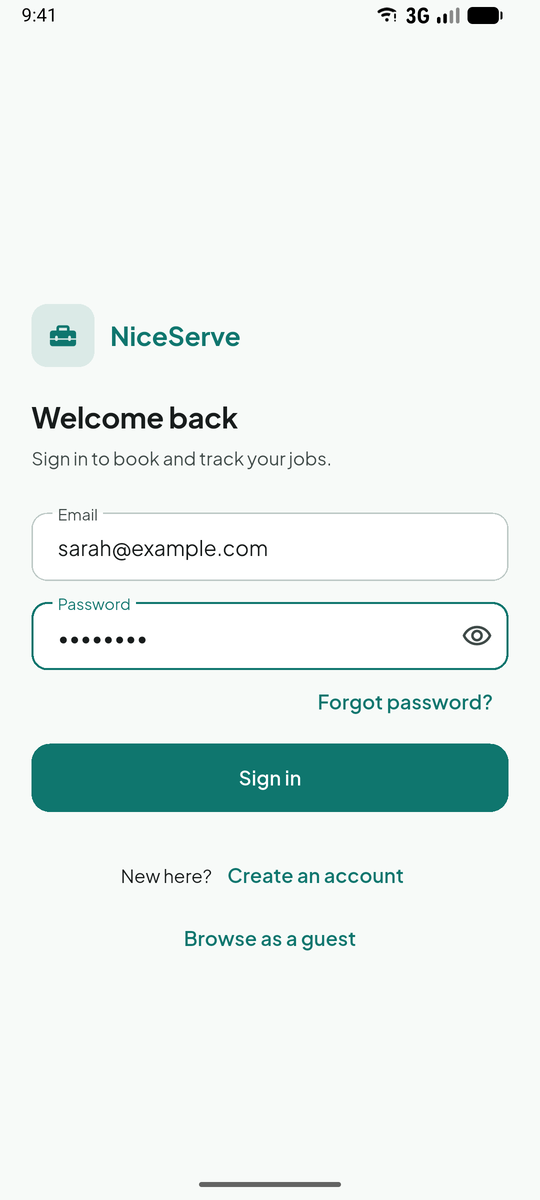
If your marketplace has them turned on, you can also use Continue with Google or Continue with Apple. No password is needed for these.
Don't want an account yet? Tap Browse as a guest to look around first.
Forgot your password
- On the sign-in screen, tap Forgot password?
- Enter your account's email and tap Send code.
- Enter the code from the email, choose a New password and tap Save password.
- Sign in with the new password.
Sign out
Go to Profile and tap Log out at the bottom, then confirm. If you haven't used the app for a long time, it may sign you out and show Your session ended. Please sign in again.
Common sign-in messages
| Message | What to do |
|---|---|
| Wrong email or password. | Check for typos, or reset your password. |
| This email already has an account. Sign in instead. | Use Sign in, or Forgot password? if you don't remember it. |
| Too many tries. Wait a minute and try again. | The app paused sign-in for your safety. Try again in a minute. |
| This account is suspended. | Contact the marketplace's support team. |