
Mutqin
On Google Play as Mutqin: Quran Hifz Planner
A free Android app for memorizing the Quran and keeping it strong: the 604-page Madani mushaf, a daily plan of new pages and reviews, recitations, and halaqah classes.
- For
- People memorizing the Quran, and their teachers and parents
- Runs on
- Android
- Requires
- Android 8.0 or later
- Price
- Free, with no ads or in-app purchases
- Status
- Coming to Google Play
Mutqin, Arabic for "firmly memorized", helps you memorize the Quran and keep it strong, every day. Mark the pages you already know, and Mutqin plans each day's new lesson and reviews. You recite from memory on the mushaf page itself, mark your mistakes, and the weak pages come back first.
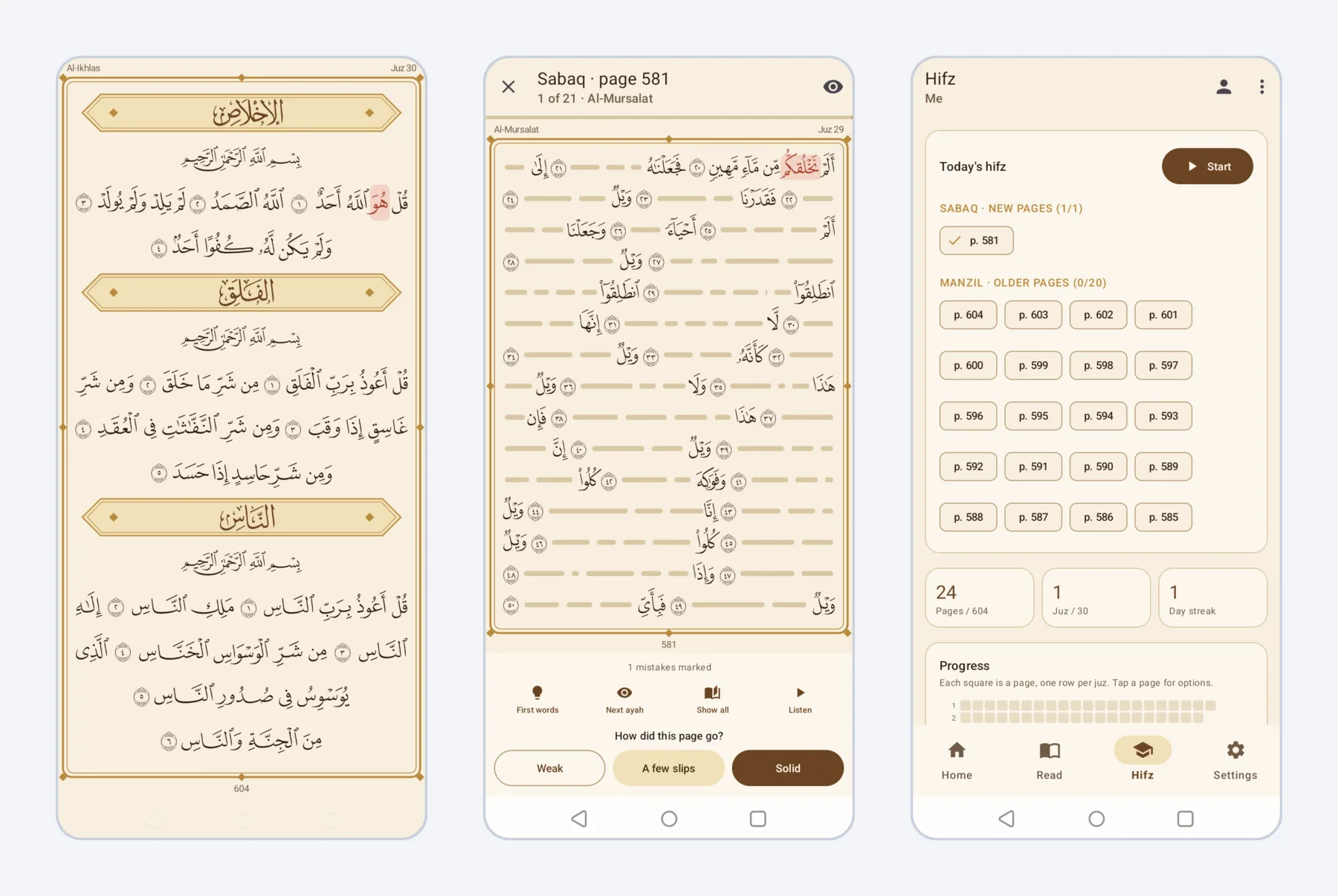 The mushaf, review mode and today's hifz plan.
The Madani mushaf
- All 604 pages in the layout of the King Fahd Complex print, drawn word by word in its own page fonts.
- An ayah-by-ayah view with a translation: Indonesian from the Ministry of Religious Affairs, or English from Saheeh International.
- Search in Arabic without typing vowel marks, or in the translation.
- Browse by surah, juz or page, keep bookmarks, and continue where you stopped, in light or dark themes of warm brown and gold.
A daily hifz plan
Tick the juz and surahs you already know, and choose your direction: from Juz Amma backward, or from Al-Fatihah forward. Each day Mutqin sets three parts:
- Sabaq: new pages, as many a day as you choose.
- Sabqi: pages memorized in the last few days, reviewed every day.
- Manzil: older pages in rotation, the weakest and longest unreviewed first.
A map of all 604 pages shows which are memorized, which need work, which are due today and which come next.
Review from memory
In review mode the text is hidden and you recite. Tap a hidden word to peek, reveal the next ayah, or show the first words of each ayah as a hint. Tap a word you got wrong to mark a mistake: it stays marked on the mushaf, and the page returns sooner in your reviews. Each page ends with a rating: weak, a few slips, or solid.
Recitations
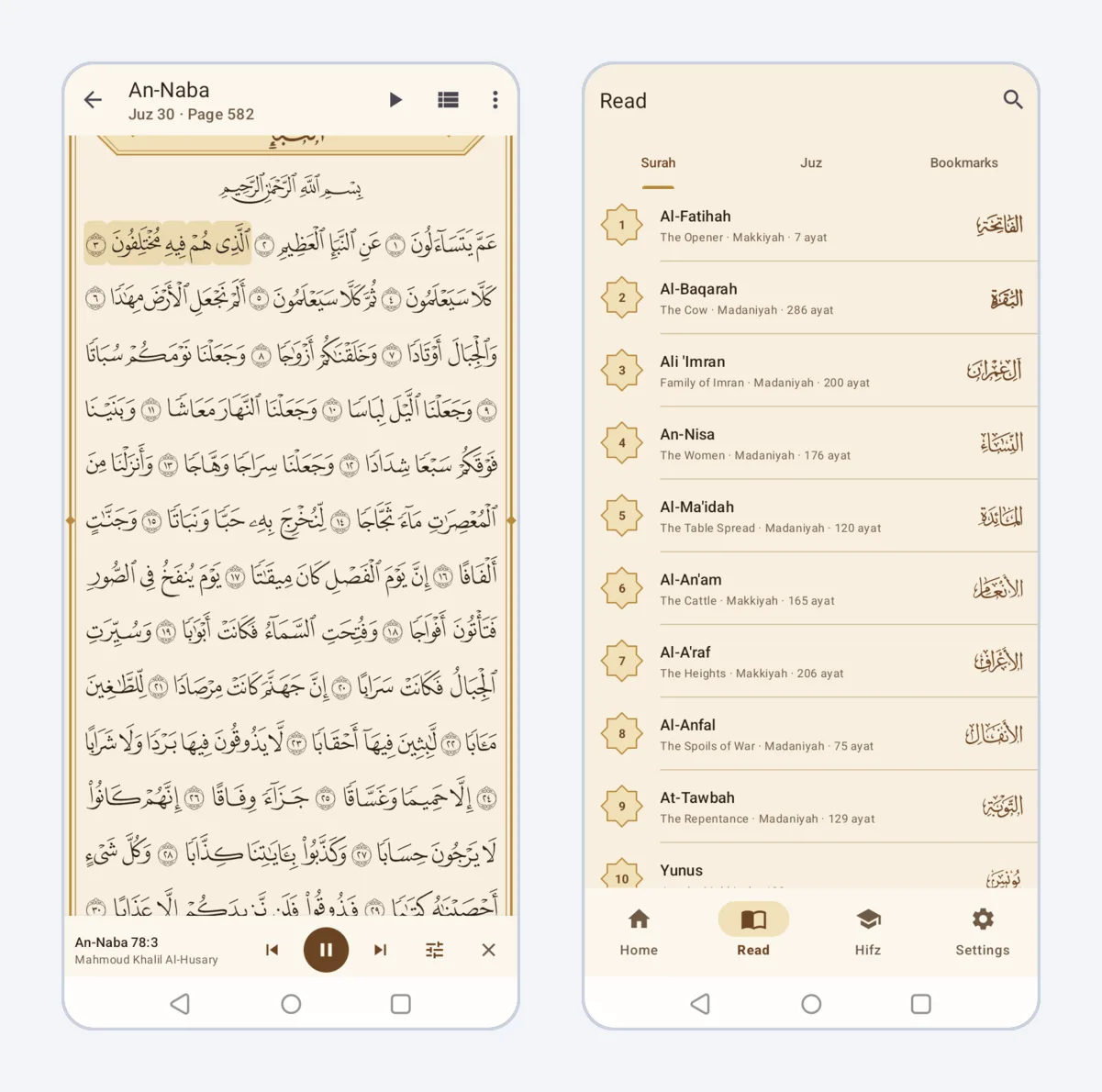 Listening to An-Naba, and the surah list.
- Four reciters: Mahmoud Khalil Al-Husary (muallim), Mishary Rashid Alafasy, Mohamed Siddiq Al-Minshawi and Abdul Basit Abdul Samad.
- Repeat one ayah or a range as many times as you need, with a pause between repeats, at 0.75× to 1.5× speed.
- Download a juz to listen offline. Playback continues with the screen off.
Halaqah for teachers and students
A teacher creates a halaqah and shares its join code, and students or their parents join with it. The teacher follows each student's plan and progress, and marks mistakes while listening to their tasmi'. Children need no account or phone of their own: a parent or teacher manages their profile.
Free, with no ads
Mutqin is free, with no ads, no in-app purchases and no tracking. Everything works without an account. Signing in with Google is optional and only needed to sync progress between phones and to join a halaqah. The app is in Indonesian and English. See the Mutqin privacy policy for what is stored when you sign in.
Sources
The Quran text, page layout and page fonts are from the King Fahd Glorious Quran Printing Complex in Madinah, through Quran.com. The translations are by the Ministry of Religious Affairs of the Republic of Indonesia and Saheeh International, and the recitations come through EveryAyah.com.