Post a job and compare quotes
Not sure what a job will cost, or which pro to pick? Post a job. Pros nearby who do that kind of work are told about it and send you a quote. You compare the quotes and accept one, which turns it into a booking.
Start with Post a job on the home screen, Request a quote on a pro's profile, or Jobs → Post a job.
Post a job
Posting a job takes four steps.
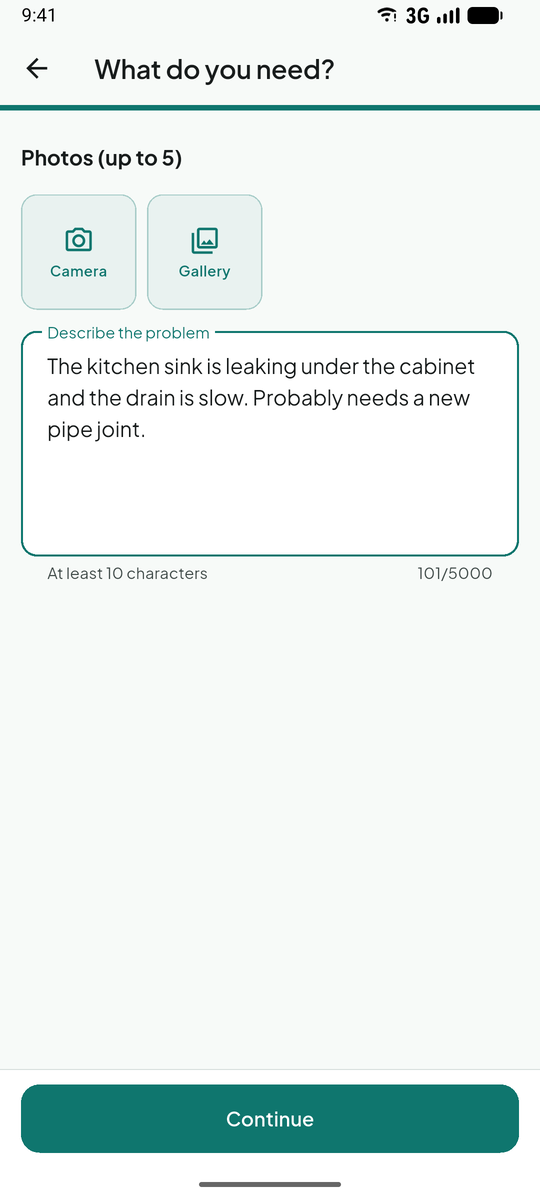
- What do you need? Add Photos from the camera or gallery, and describe the problem: what needs doing, where, and how big. The description needs at least a few words so pros can quote accurately, and photos help them give a realistic price. If your marketplace has AI turned on, tap AI: write it for me to turn a few words into a clear description, title and category. Check the suggestion before you post it.
- About the job. Choose the Category and give the job a short Title (e.g. Fix a leaking kitchen tap). You can still edit the description here.
- Where and when. Pick the Address and the Preferred dates when the work could be done. Optionally add a Budget: roughly what you'd like to spend.
- Review and post. Check everything and tap Post job.
Pros only see the approximate area of your job, not your exact address, until you accept their quote.
Your jobs
Tap Jobs in the bottom bar to see the jobs you've posted.
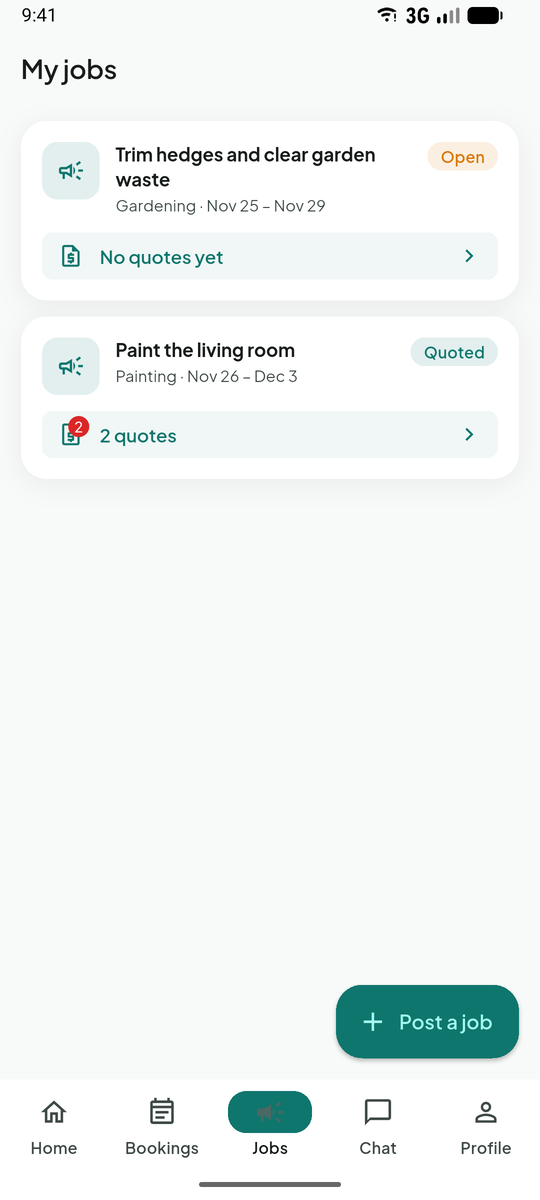
| Status | Meaning |
|---|---|
| Open | Posted, no quotes yet. |
| Quoted | One or more pros sent a quote. |
| Accepted | You accepted a quote; it's now a booking. |
| Expired | The preferred dates passed without an accepted quote. |
| Cancelled | You cancelled the job. |
Open a job to see its details. You can Edit it until the first quote arrives, or Cancel job at any time before you accept a quote (pros who quoted are told).
Compare quotes
Tap See quotes on a job.
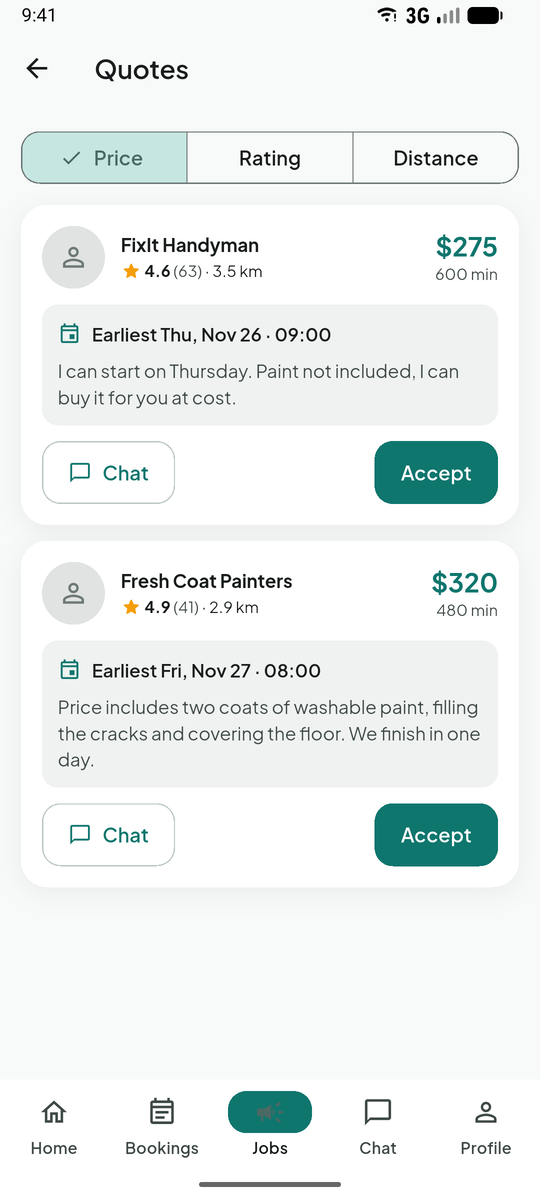
Each quote shows the pro's price, how long the work takes, the earliest start, and their message. Sort by Price, Rating or Distance. Tap the pro to open their profile, or Chat to ask questions before you decide.
Accept a quote
- Tap Accept on the quote you want.
- Check the time under When. Tap Choose another day to pick a different day within your preferred dates.
- Confirm. The other quotes are declined automatically.
The accepted quote becomes a booking (Booking confirmed). Follow it in Bookings, just like a normal booking. See Manage your bookings.