Settings
Settings changes how the marketplace looks and works, without a new app release. Only super admins can open it.
Each tab has its own Save and Discard. The apps pick up changes the next time they start. Secrets (API keys, passwords) are stored encrypted and never shown again: a field says Not set or shows that a value is saved, and you only type in it to replace the value.
Branding
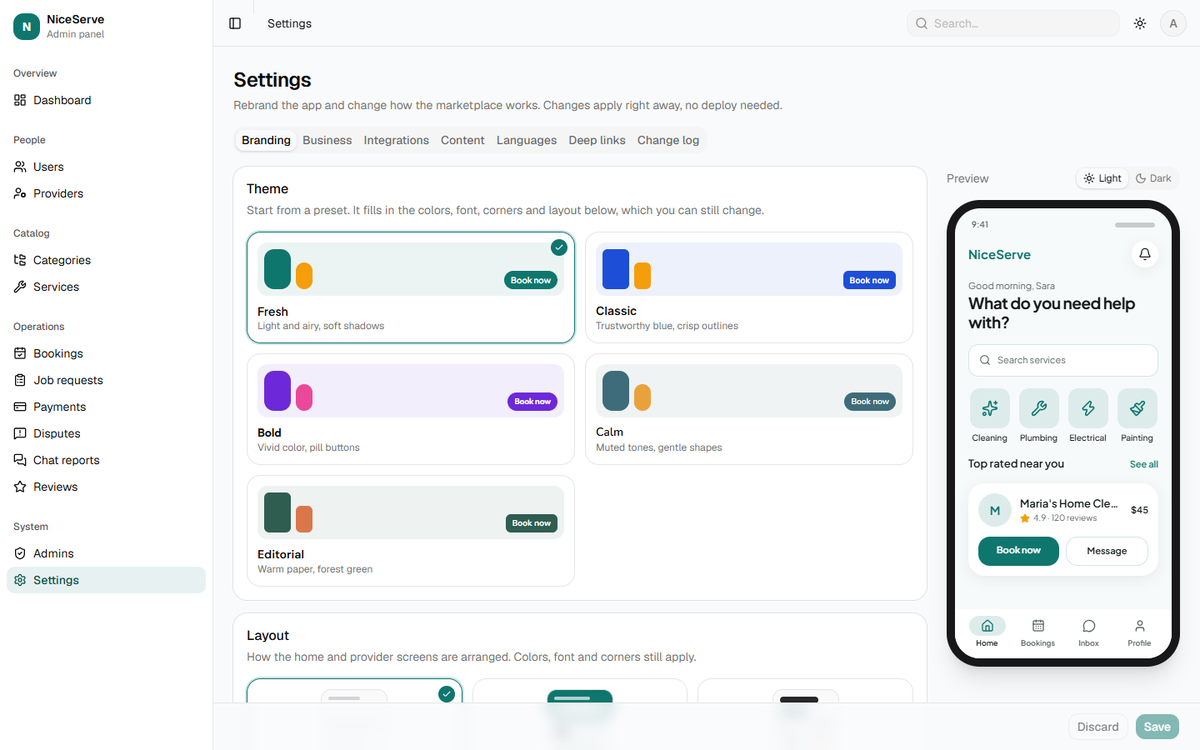
Theme preset, layout, colors, font, default light/dark mode, corner style, app name, logo (and a dark-mode logo) and splash image. A phone preview on the right shows your changes in light and dark mode before you save.
Details: Theming. The launcher icon on the phone's home screen is part of the app build; see Rebrand the app.
Business
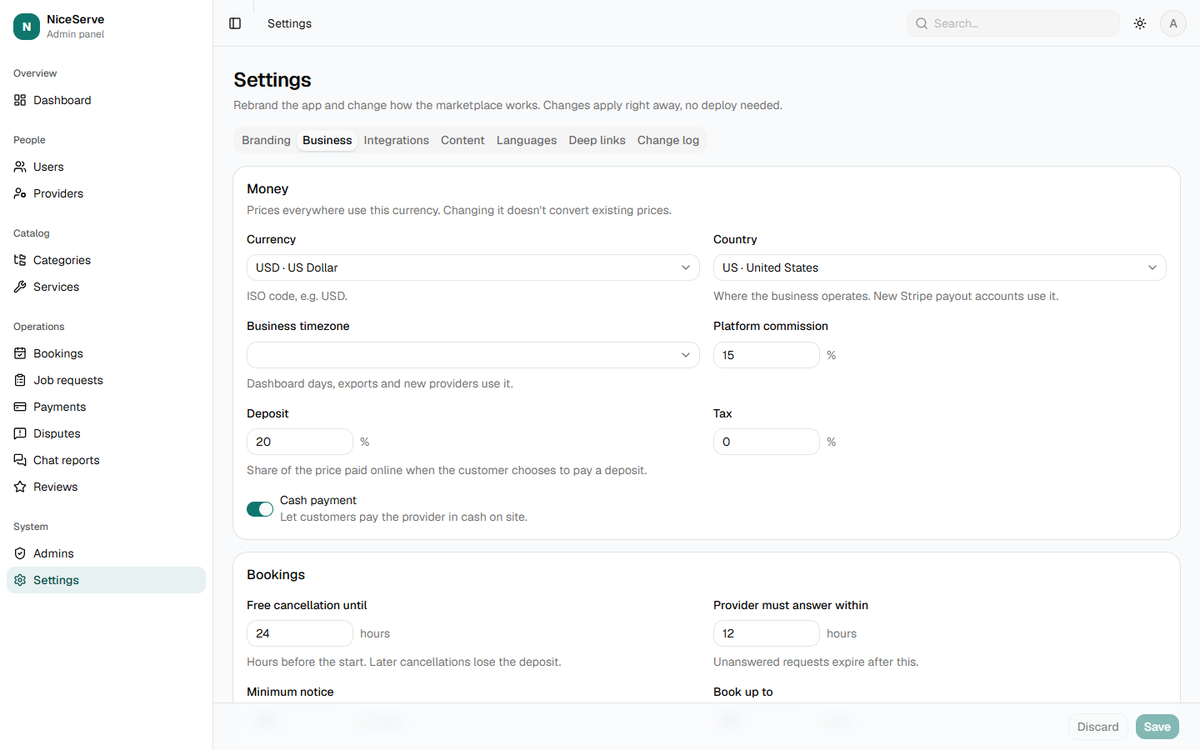
| Setting | What it does |
|---|---|
| Currency | Used for every price. Changing it doesn't convert existing prices, so set it first. |
| Country | Where the business operates. New Stripe payout accounts use it. |
| Business timezone | Dashboard days, exports and new providers use it. |
| Platform commission (%) | Your share of each completed booking. |
| Deposit (%) | Share of the price paid online when the customer chooses to pay a deposit. |
| Tax (%) | Added on top of the price at checkout. 0 for none. |
| Cash payment | Lets customers pay the provider in cash on site. |
| Free cancellation until (hours) | Hours before the start. Later cancellations lose the deposit. |
| Provider must answer within (hours) | Unanswered booking requests expire after this, and the customer is refunded. |
| Minimum notice (minutes) | How soon a booking can start from now. |
| Book up to (days) | How far ahead customers can book. |
| Time slot step | The gap between start times customers can pick (5 to 60 minutes). |
| Travel buffer (minutes) | Gap kept free between a provider's bookings. |
| Report a problem within (hours) | How long customers have to report a problem after the job is marked done. |
| Auto-confirm completion after (hours) | If the customer does nothing after the provider marks the job done, it's confirmed and the provider is paid. |
| Job requests expire after (days) | Job posts close after this. |
| Providers notified per job | The nearest matching providers get a push for each new job post. |
| Customers can review for (days) | How long after a job the review button stays. |
| Largest service radius (km) | The most providers can choose in their service area. |
| AI requests per user per day | Limit for the AI features. 0 turns them off for users. |
| Provider documents | The document types providers upload when they apply (one per line, e.g. id_card), and which of them are required. |
Integrations
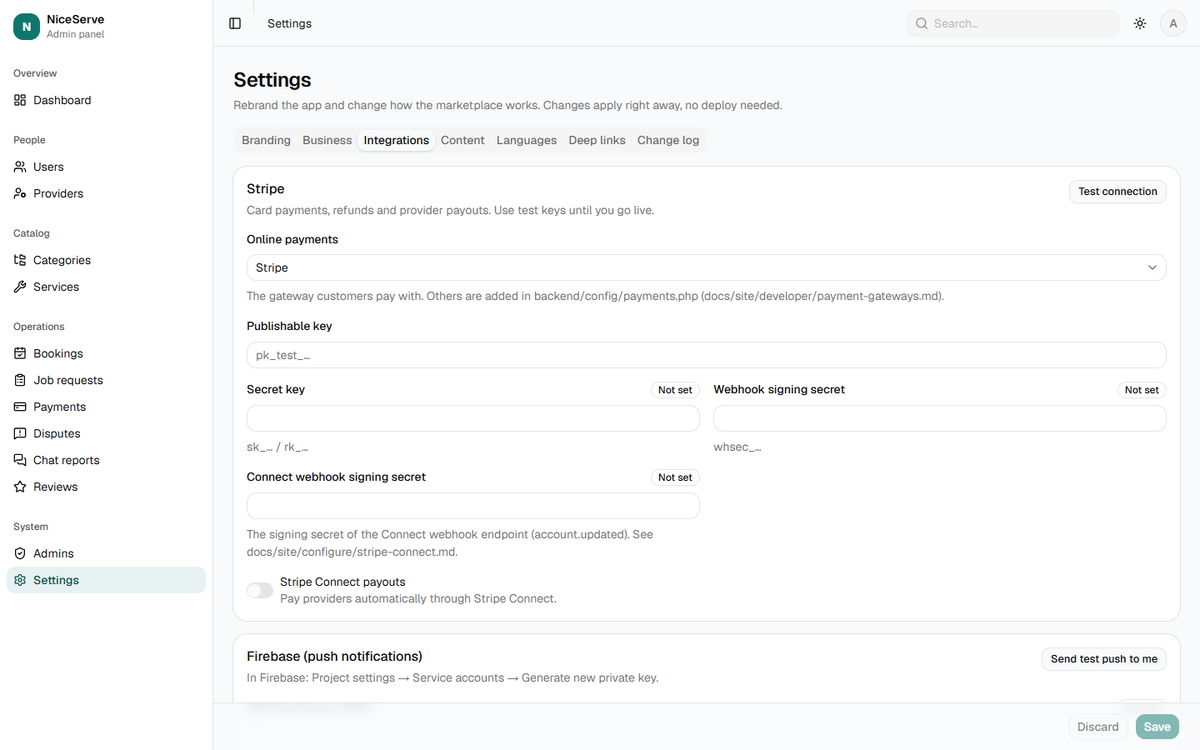
Keys for outside services. Each section links to its own guide:
| Section | Guide |
|---|---|
| Stripe (online payments, Connect payouts) | Stripe payments, Stripe Connect |
| Firebase (push notifications) | Firebase |
| Google (Maps key, OAuth client IDs) | Social sign-in |
| Sign in with Apple | Social sign-in |
| AI assistant | AI features |
| Email (SMTP), File storage | Email and file storage |
Content
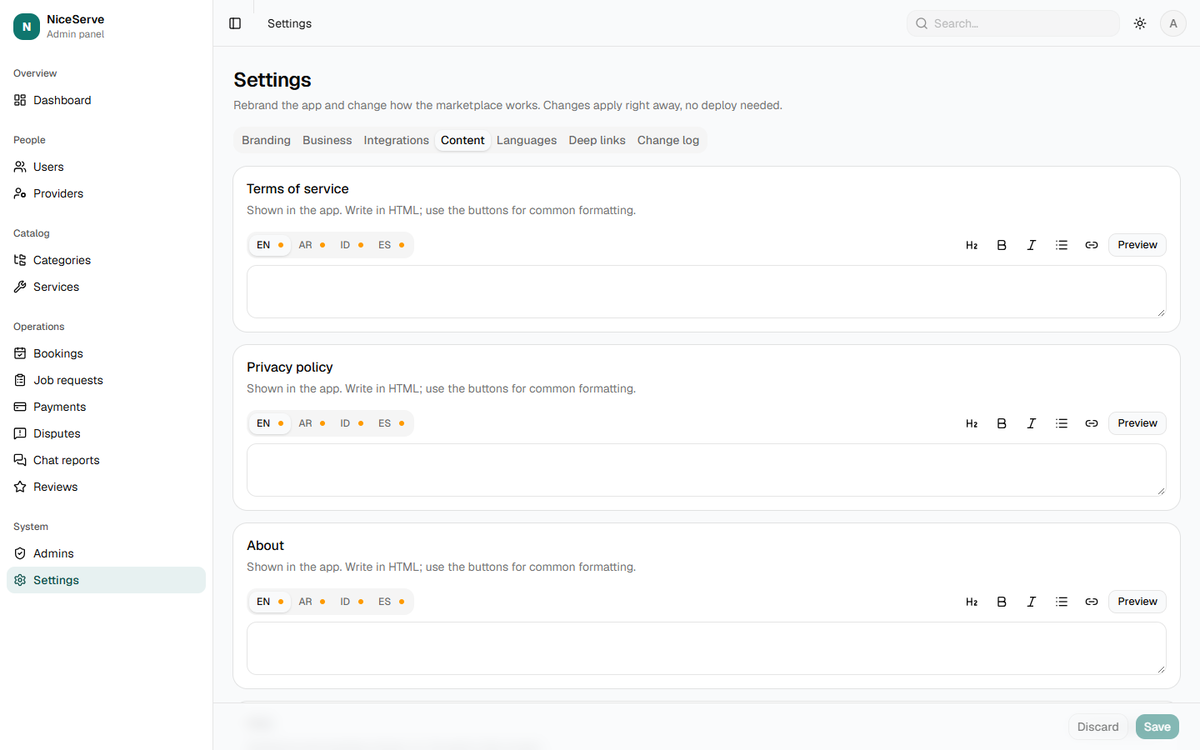
The Terms of service, Privacy policy and About pages shown in the app, and the FAQ on the app's help screen. Each has a tab per enabled language. Write the pages in simple HTML; the toolbar adds headings, bold, lists and links, and Preview shows the result.
Languages
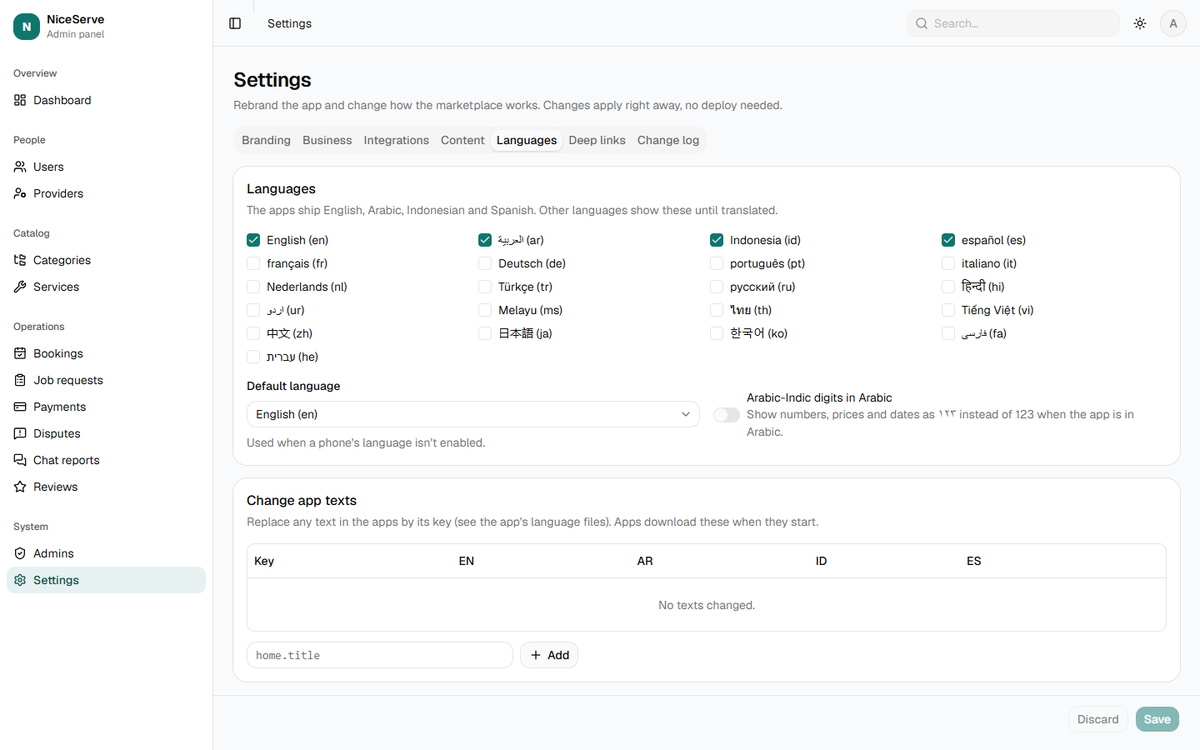
Which languages the app offers, the default language, Arabic-Indic digits, and Change app texts to replace any text in the app by its key. Details: Languages.
Deep links
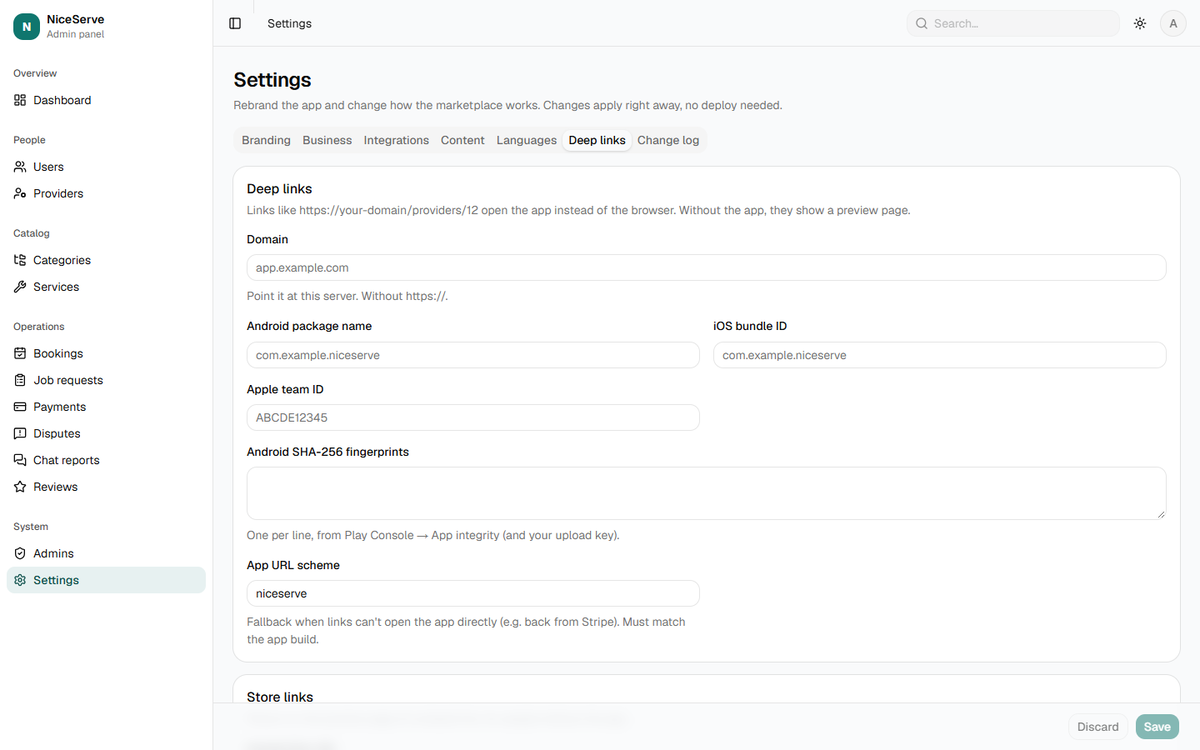
The domain and app IDs that make shared links open the app, plus the store links shown to people without the app. The tab previews the assetlinks.json and apple-app-site-association files the server publishes. Details: Deep links.
Change log
Every saved change is recorded: when, who, which tab and which settings. The tab shows the latest 50 changes. Values are never logged, so secrets stay secret.