Chat with pros
Every booking and every quote has its own chat between you and the pro. Customers and providers use the same chat screens.
Your messages
Tap Chat in the bottom bar. Each conversation shows the other person, what it's about (Booking HS-… or Job: …), the last message and how many messages are unread.
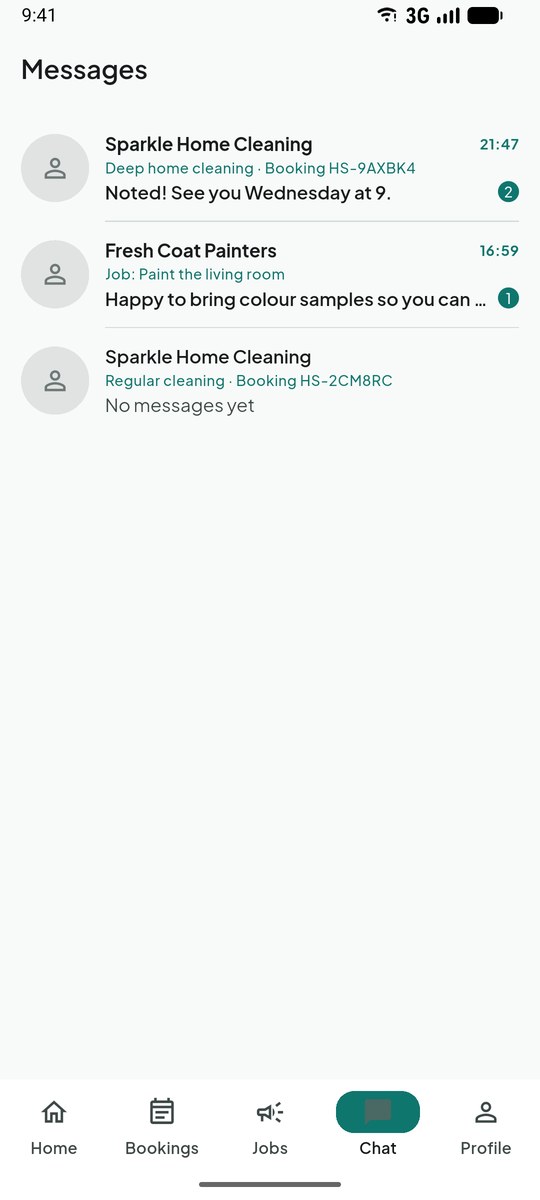
You can also open a chat with Message on a booking, or Chat on a quote.
Send messages and photos
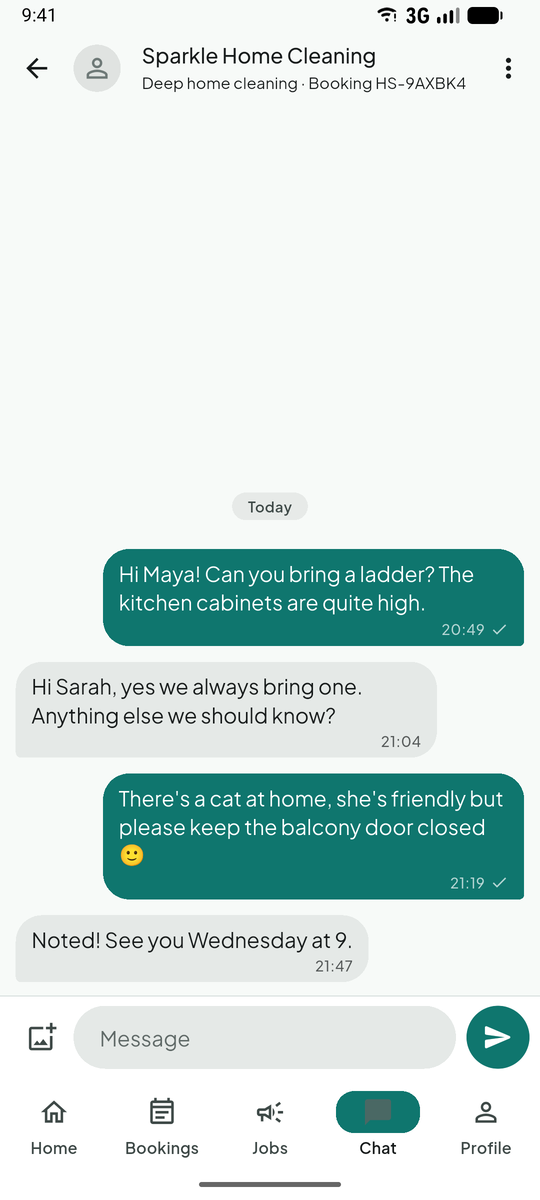
- Type in Message and tap Send.
- Tap the photo icon to Add photo from your camera or gallery.
- Tap the booking or job at the top (Open) to jump to it.
- You'll see when the other person is typing… and when your message has been Read.
- If a message shows Not sent. Tap to retry., check your connection and tap it.
Keep payments and contact details in the app. That way the marketplace can help you if something goes wrong.
Block or report
Open the menu (⋮) in a chat:
- Block stops both of you from sending messages in that chat until you Unblock.
- Report sends the chat to the marketplace's support team. Describe what happened and tap Send report.