Find a pro
Home screen
The home screen is the starting point for finding help.
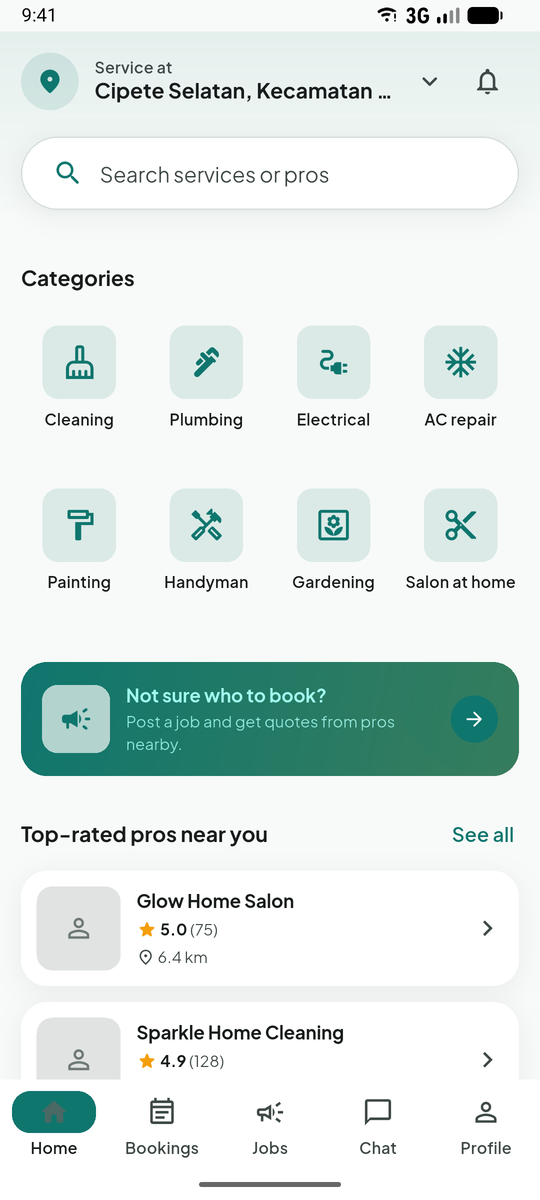
- Service at shows the area you're searching in. Tap it to change your location.
- Search services or pros opens the search screen.
- Categories lists the kinds of work on offer, such as cleaning, plumbing or AC repair. Tap one to see its services.
- Not sure who to book? takes you to Post a job, where pros send you quotes.
- Top-rated pros near you lists the best-rated pros who serve your area. Tap See all for the full list.
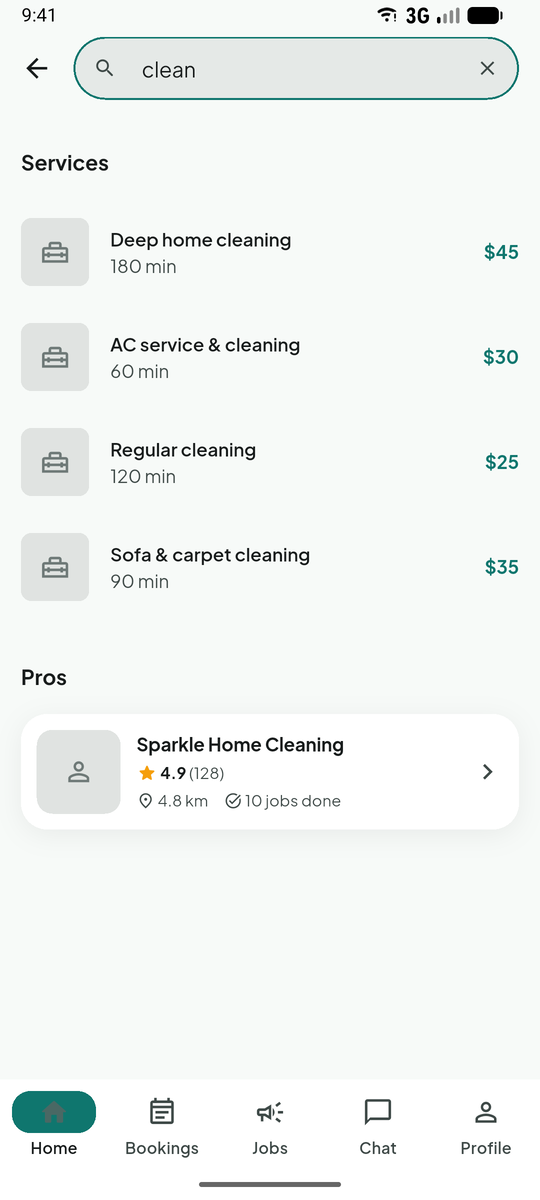
Search
Type what you need, for example cleaning or tap. Results are split into Services and Pros. Your recent searches are kept under Recent searches; tap Clear to remove them.
Browse a category
A category page lists its services with a starting price and duration. Tap a service to see the pros who offer it, or tap All pros to see everyone in that category.
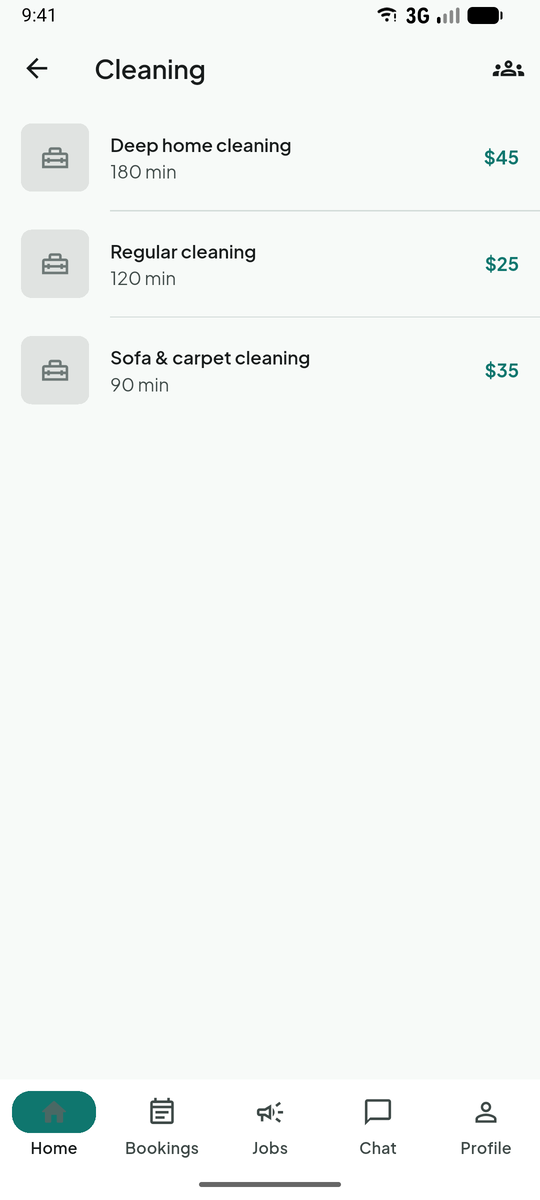
Prices are shown in three ways:
| Price | Meaning |
|---|---|
| A fixed amount, e.g. $45.00 | The price of the service. You can book a time straight away. |
| $20.00 / hr | An hourly rate. |
| Quote | The price depends on the job. Ask the pro for a quote. |
Pro list, filters and sorting
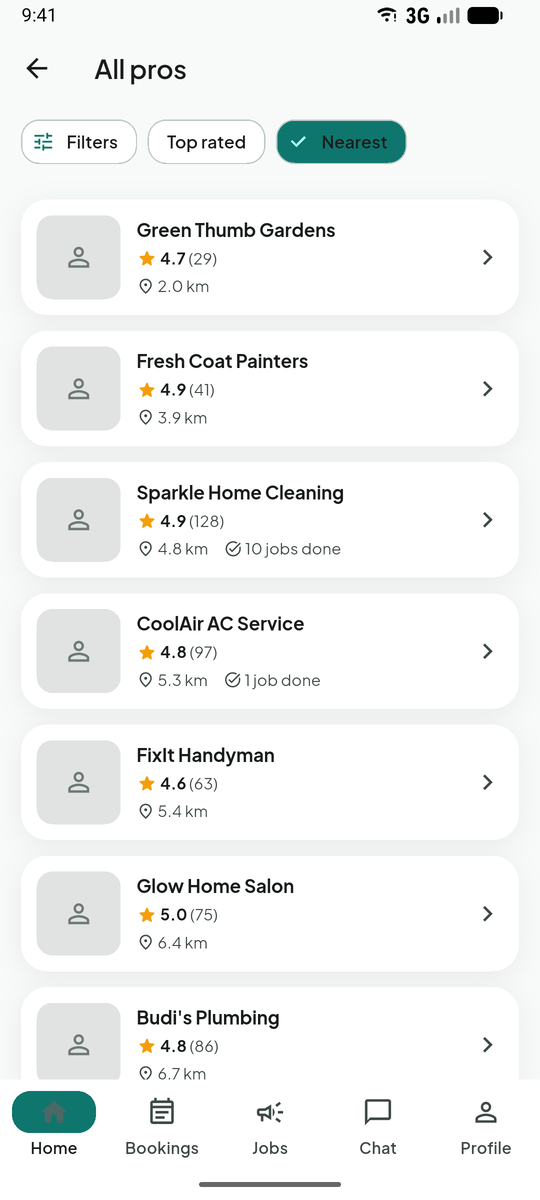
Each card shows the pro's name, rating and number of reviews, jobs done, price and distance. Pros who joined recently and have no reviews yet show New.
Tap Filters to narrow the list:
- Rating: only pros rated at least 3, 4 or 4.5 stars.
- Price: a minimum and maximum price.
- Distance: only pros within a set distance of your location.
Tap Show results to apply, or Clear filters to start over.
The sort options next to Filters are Top rated, Nearest (once your location is set) and Lowest price (when you're looking at the pros for one service).
If your marketplace uses maps, Show map shows the pros on a map. Tap Show list to go back.
A pro's profile
Tap a pro to open their profile.
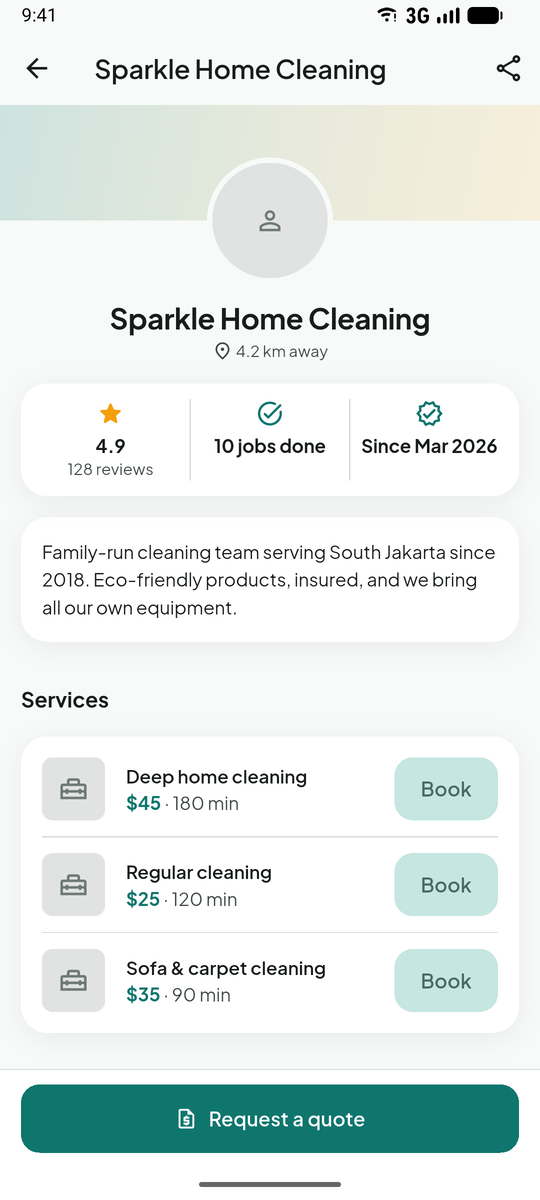
The profile shows:
- Rating, number of reviews, jobs done and the date they joined.
- Services with each price and duration, and a Book button. Services priced by quote have Get quote instead.
- Photos of their work. Tap a photo to see it full screen.
- Reviews from customers, with the pro's reply where they wrote one.
- Request a quote at the bottom, to describe a job and ask for a price. See Post a job.
Tap Share to send the profile link to someone else; the link opens the profile in the app, or a web page if the app isn't installed.
Ready to book? Continue with Book a service.