Providers
Anyone with an app account can apply to become a provider (how providers apply). Applications wait in the admin panel until you approve them. Until then, the provider can't take bookings or see job posts.
The provider list
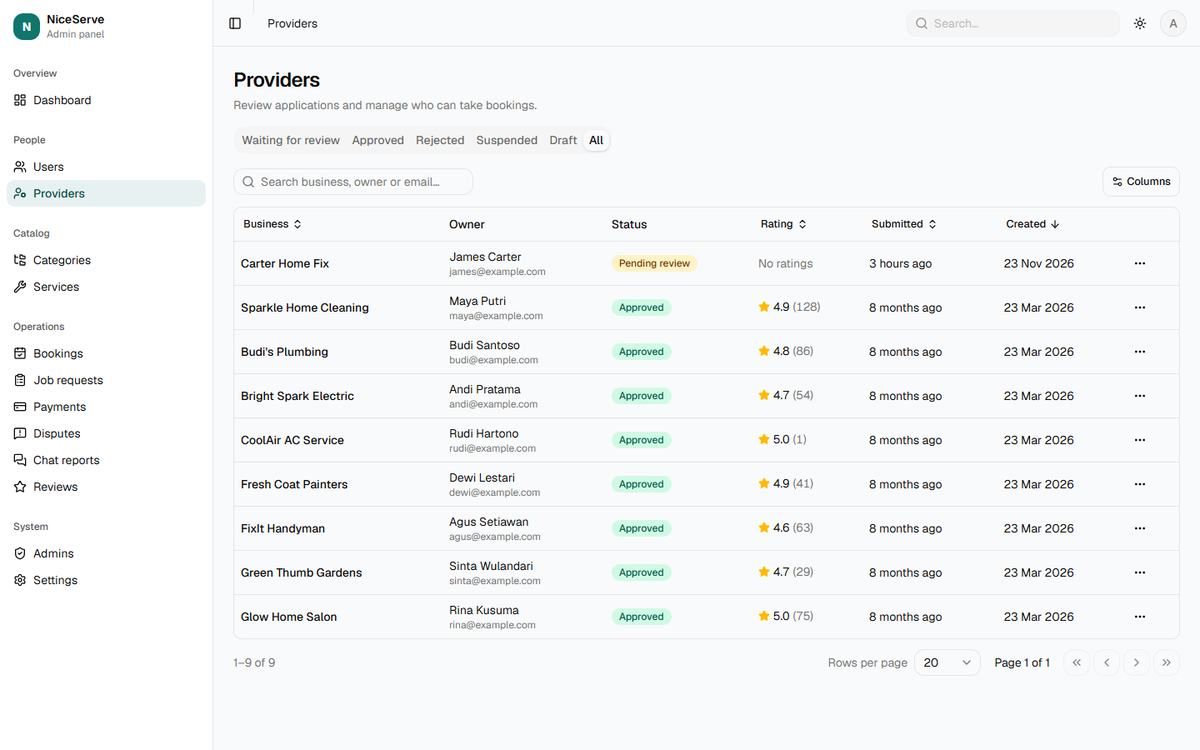
The tabs filter by status:
| Status | Meaning |
|---|---|
| Waiting for review | Submitted, waiting for your decision |
| Approved | Visible in the app and taking bookings |
| Rejected | Sent back with your reason; the provider can fix it and submit again |
| Suspended | Can't take new bookings |
| Draft | Started an application but hasn't submitted it |
The dashboard's Waiting for approval card counts the first tab.
Review an application
Open a provider to see everything they entered.
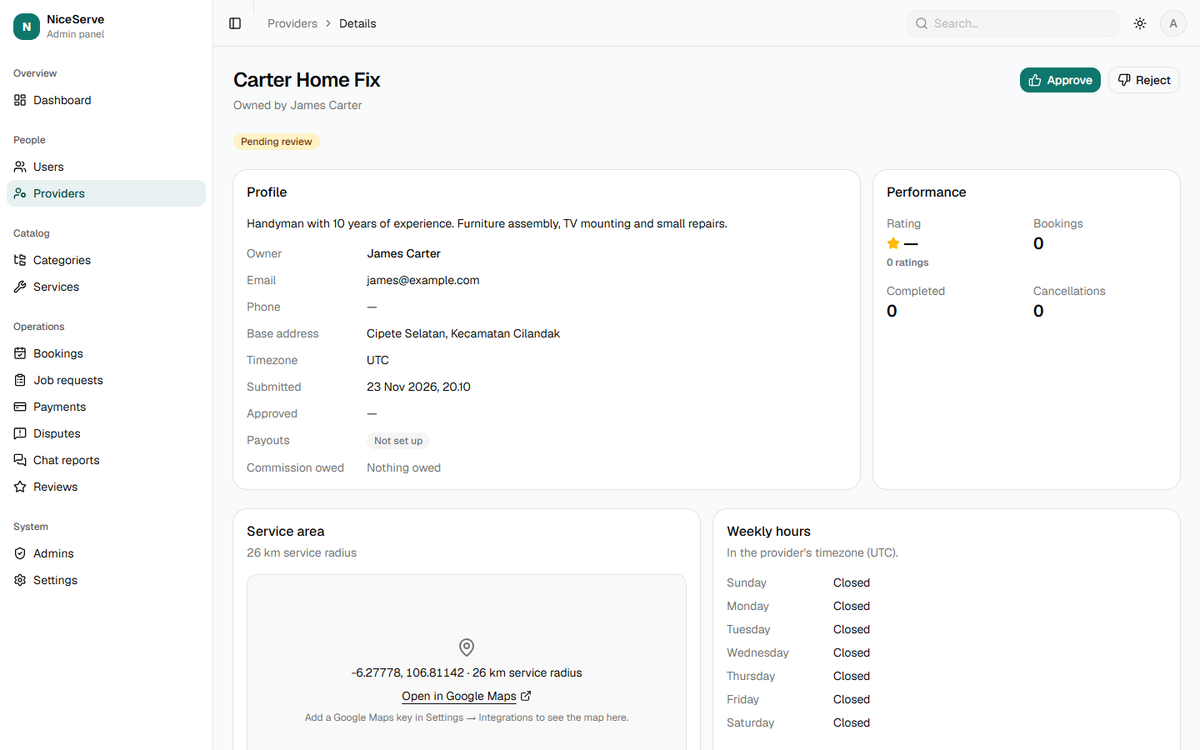
- Profile: business name, owner, contact details, base address, timezone, bio and work photos.
- Performance: rating, bookings, completed jobs and cancellations.
- Service area: their base and radius on a map (with a Google Maps key) or a link to Google Maps.
- Weekly hours, in the provider's timezone.
- Documents: each uploaded file with its status. Open it to check it.
- Services and prices: the services they offer with their own price and duration.
- Recent bookings, Payouts and Commission owed (for cash jobs).
Documents
Approve or reject each document. When you reject one, write what to fix; the provider sees your note in the app and can upload it again. Which documents providers upload, and which are required, is set in Settings → Business → Provider documents.
Decide
Use the buttons at the top right:
| Button | Result |
|---|---|
| Approve | The provider can switch to provider mode and take bookings. They get a notification. |
| Reject | Enter a reason. The provider sees Your application needs changes: … and can resubmit. |
| Suspend | For an approved provider: they can't take new bookings. Give a reason; the provider sees it in the app and in the email. |
| Unsuspend | Makes a suspended provider active again. |
Commission owed on cash jobs
When a customer pays a provider in cash, the provider owes you the commission on that job. Commission owed on the provider page shows the total. When the provider has paid you (outside the app), go to Payments → Owed commission and mark it settled. See Bookings, payments and disputes.