NiceServe documentation
NiceServe is a home services marketplace: an app for Android and iOS where customers find trusted pros nearby, book a time or ask for quotes, pay, chat and leave reviews, and where pros accept bookings, send quotes and track their earnings. You run it with your own brand, on your own server, from an admin panel.
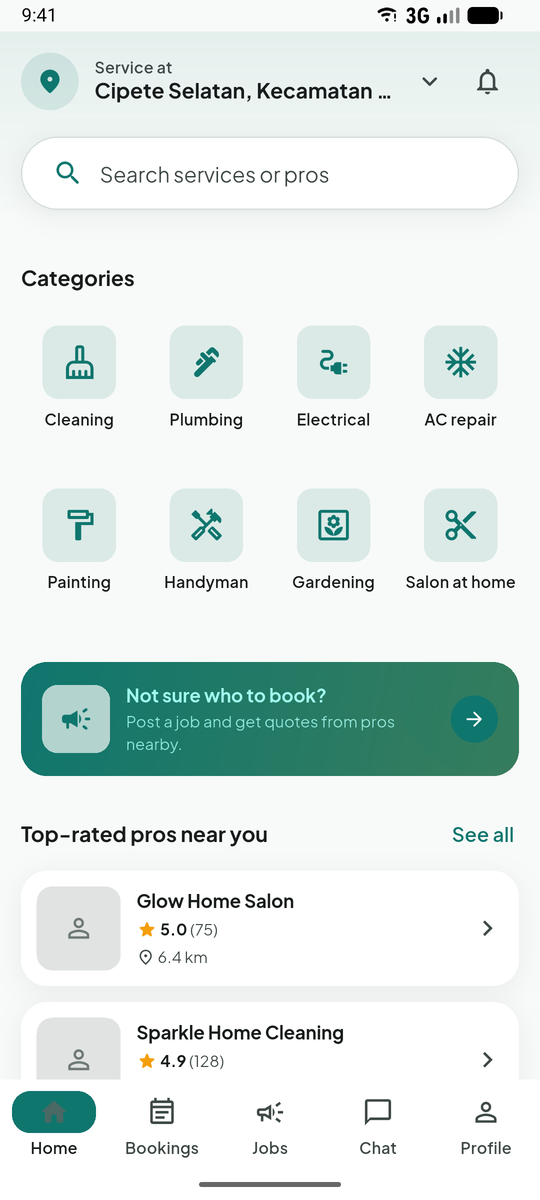
This documentation has two parts.
User guide
How to use the app, for your customers and providers. You can link your users straight to these pages.
- Getting started: first launch, creating an account
- For customers: finding a pro, booking, posting a job, chat
- For providers: applying, handling bookings, quotes, availability, earnings
- Help: booking statuses and common questions
Technical documentation
For you, the marketplace owner, and your developers.
- Installation: requirements, installing on a server, first steps, updating
- Admin panel: providers, catalog, bookings, refunds, disputes, moderation and settings
- Configuration: email, storage, theming, languages, payments, push, sign-in, deep links, AI, live chat
- Mobile app: rebranding, building and publishing to Google Play and the App Store
- Developers: code structure, the API, adding a payment gateway
- About: changelog, support and credits
New here? Start with What's in the package, then Requirements and Install with the web installer.
One app, two modes
| Mode | Who uses it | Bottom bar |
|---|---|---|
| Customer mode | Anyone who needs a job done at home | Home, Bookings, Jobs, Chat, Profile |
| Provider mode | Approved pros and businesses | Dashboard, Bookings, Jobs, Chat, Profile |
Everyone starts in customer mode. A provider switches with Profile → Switch to provider mode, and back with Customer mode in the provider profile. Customers hire a pro in two ways: book a fixed-price service at a free time slot, or post a job and compare quotes from pros nearby.
Your marketplace may look different. Name, colors, layout, languages and payment options are set in the admin panel. Screens in this guide use the default NiceServe look (Fresh layout, cash payments, English). Features the admin turns off, such as card payments, Google sign-in or AI suggestions, don't appear in the app.