How to calculate your real hourly rate as a freelancer
Work out your effective hourly rate as a freelancer by counting unpaid hours, platform fees, Connects, withdrawal fees and FX spread, with a worked example.
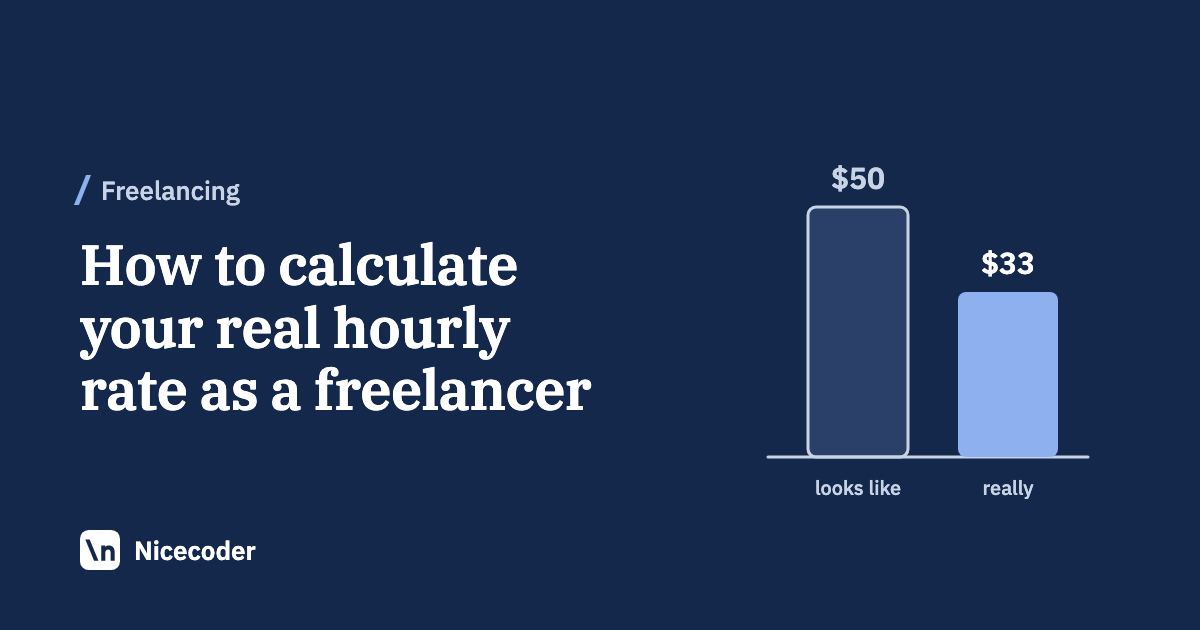
Your real hourly rate, often called your effective hourly rate, is the money you keep after fees and costs, divided by every hour the work took. That includes the hours nobody pays for: finding work, writing proposals, meetings, travel and admin. Unless you have no unbillable hours and no costs, it is lower than the rate on the contract. In the worked example below, a contract billed at $55.56 an hour pays about $33 an hour once everything is counted.
We make Mindset, an app that does this calculation for you, so keep that in mind. Everything here works just as well in a spreadsheet.
The formula
effective hourly rate = (money received - costs) / all working hours
- Money received is what clients paid you after the platform's fee.
- Costs are what the work cost you: Connects, tools, hosting, transport, and the money lost between your platform balance and your bank.
- All working hours are billable hours plus the unbillable hours that came with them.
Use the same period for every number. A month works well, because one slow week or one large invoice can distort a single week.
Count every working hour
Billable hours
These are the hours on your timesheet or the hours a fixed-price project actually took. If you track hourly contracts in a platform's own tracker, that number is your starting point.
Finding work
Searching job posts, writing proposals, interviews, unpaid test tasks, and updating your profile and portfolio. On a marketplace this can take a large share of the week, especially early on or between contracts.
Meetings and travel
Client calls, stand-ups you don't bill, and travel to a client's office. If you bill a meeting, it is already in your billable hours, so count only the unbilled ones here.
Admin
Invoices, bookkeeping, tax paperwork, email, chasing late payments and setting up withdrawal methods. Admin is easy to forget because it comes in small pieces.
If you have never measured unbillable time, track everything for two to four weeks before you trust the result. A Pomodoro timer or time tracker that tags each session by type of work makes this much easier than rebuilding it from memory.
Subtract what the work cost you
Platform fees
On Upwork, the freelancer service fee varies by contract. Upwork's Help Center says it ranges from 0% to 15% per contract, that you see it before you submit a proposal or accept an offer, and that it stays fixed once the contract starts (Learn about the Freelancer Service Fee, checked 20 October 2026). Use the fee shown on each contract, not an average. Our guide to Upwork fees and Connects covers the details.
Expenses
Count the costs of the freelance work itself:
- Connects or other bidding credits. Upwork Connects cost $0.15 each, and the number a proposal needs varies by job (Understanding and using Connects).
- Platform memberships, if you pay for one.
- Software licences and subscriptions you need for client work.
- Hosting, staging servers and test devices for client projects.
- Transport to client meetings.
Leave out personal spending. The point is to measure what the work pays, not your cost of living.
Withdrawal fees and FX spread
If clients pay in US dollars and you spend another currency, some money disappears between your platform balance and your bank. Part of it is a visible fee. On Upwork, for example, Direct to Local Bank costs $0.99 per withdrawal and a US dollar wire costs $50 (How to get paid on Upwork). The other part is the exchange rate spread: the gap between the mid-market rate and the rate you actually get. Upwork says its payment partners set the conversion rate and may include a markup (How currency conversion works on Upwork).
The simplest way to capture both is to compare what you withdrew with what reached your bank. Our guide to USD income and local currency fees shows how to measure the spread.
Fees and rules change, and many vary by country, so confirm them on the platform's own pages before you rely on a number.
Taxes, as a separate note
Keep income tax out of this calculation. Tax depends on your country, your total income for the year and your deductions, so it doesn't belong to one week or one project. Work out your rate before income tax, then set tax aside according to your local rules. Some platforms add VAT or GST to their own fees in certain countries; Upwork lists these by country on its tax information page. Taxes charged on fees are a cost of the work, so include those. This is general information, not tax advice.
A worked example, step by step
This example is hypothetical. A freelancer works an hourly Upwork contract billed at $55.56 an hour with an assumed 10% service fee, so $50.00 an hour reaches their Upwork balance.
| Step | What changes | Hours | Money | Rate per hour |
|---|---|---|---|---|
| 1 | Billed to the client, 40 hours at $55.56 | 40 | $2,222 | $55.56 |
| 2 | Subtract the 10% service fee ($222) | 40 | $2,000 | $50.00 |
| 3 | Add 12 hours finding work | 52 | $2,000 | $38.46 |
| 4 | Add 6 hours of meetings and travel | 58 | $2,000 | $34.48 |
| 5 | Subtract $60 for Connects and transport | 58 | $1,940 | $33.45 |
| 6 | Subtract $25 lost to the withdrawal fee and spread | 58 | $1,915 | $33.02 |
The rate on the contract says $55.56. The work paid about $33, roughly 40% less. The biggest drop comes from the unbillable hours in steps 3 and 4, not from fees. On a marketplace, every new contract starts with proposals, so those hours don't go away.
The example has no admin hours to keep it short. A real month usually has some, and they lower the rate further.
Two rates worth tracking
If you also build your own product, one rate is not enough.
The freelance rate counts client work and everything around it: billable hours, meetings and travel, finding work and admin. This is the number to compare with your target rate and with job offers.
The all-work rate adds the hours you spend on your own products. In the example, 10 hours on a side project that earns nothing yet brings the total to 68 hours, and the rate to $1,915 divided by 68, about $28.16. That isn't a reason to stop. It shows what the product costs you in freelance income while it grows, which helps when you decide how many hours to give it.
Mindset, our Pomodoro timer with time and money tracking for freelance software engineers, shows both rates. Each is worked out as earnings minus expenses, divided by hours. The freelance rate counts client work, meetings and travel, finding work and admin, and the all-work rate also counts hours on your own products. You record earnings per project as pending or paid, and expenses such as Connects, tools, hosting and travel, in US dollars and your local currency. A withdrawal records what actually reached your bank, so fees and the exchange rate spread count as a cost. Mindset is coming to the App Store for Mac and iPhone and is not released yet. Without an account it is free on one device, including this week's and this month's rates.
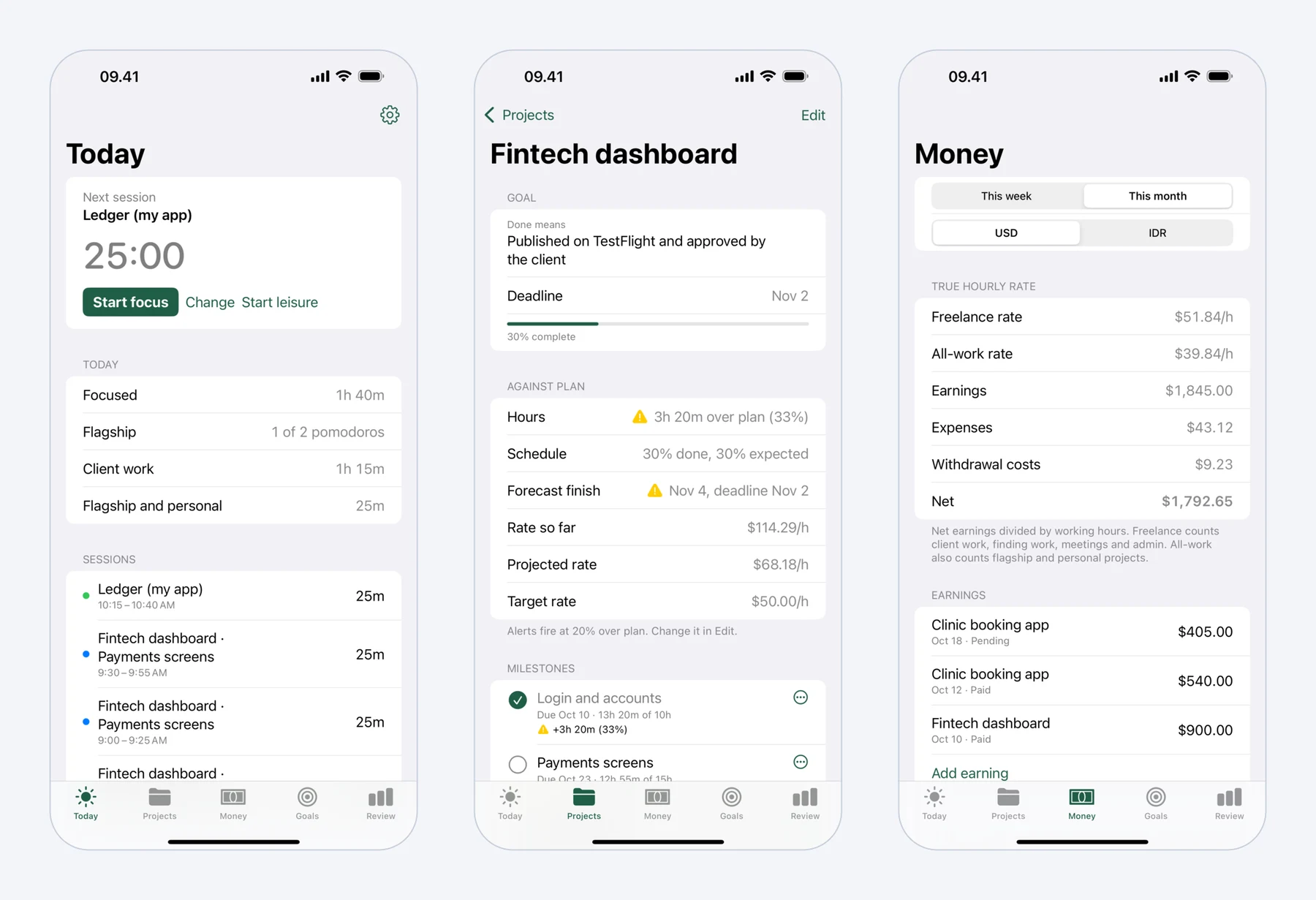 Mindset on iPhone: today's pomodoros, a fixed-price project against its plan, and what the work really paid per hour.
Fixed-price projects
For a fixed-price project, the formula is the same, with the price in place of hourly earnings:
effective rate = (price - platform fee - costs) / hours actually spent
Hours actually spent includes the proposal, calls and revision rounds, not only the coding. A hypothetical example:
Fixed price                        $1,500   (estimated at 20 hours, so "$75 an hour")
Service fee, assumed 10%            -$150
Connects for the proposal (20)        -$3
Staging server for the project       -$12
Withdrawal fee and spread            -$15
Kept                               $1,320

Hours: 26 building, 2 on the proposal and first call, 3 on calls and revisions = 31
Effective rate: $1,320 / 31 = $42.58 an hour
The quote looked like $75 an hour. The project paid $42.58, because it took 31 hours instead of 20 and the costs came out of the price. Record your actual hours per project so the next quote starts from real data. Our guide to pricing fixed-price projects from your own time data turns those records into a price.
What to do with the number
Compare your freelance rate with the rate you need. If it is lower, the steps in the table show where the gap comes from:
- If unbillable hours dominate, look at which proposals turn into contracts and drop the kinds of jobs that rarely do.
- If one client needs long unpaid calls, work out that client's own rate and price accordingly.
- If fees and spread take more than you expected, compare withdrawal methods.
- If fixed-price projects regularly run over, add a larger buffer to your quotes.
Recalculate monthly. One month tells you where you stand; several months show whether your changes worked.
FAQ
What is an effective hourly rate for a freelancer?
It is what you keep after platform fees and work costs, divided by all the hours the work took, including unbillable ones. It differs from your billed rate, which only describes what a client pays per billable hour.
Should unbillable hours count in my hourly rate?
Yes. Proposals, meetings, travel and admin are part of the work even when nobody pays for them. If you leave them out, your rate looks higher than what your time actually earns.
Should I subtract taxes when I calculate my real hourly rate?
Keep income tax separate and calculate the rate before tax, since tax depends on your yearly income and country. Do include taxes charged on platform fees, such as VAT on service fees in some countries, because those are a cost of the work.
How do I calculate my hourly rate on a fixed-price project?
Take the price, subtract the platform fee and the costs of the project, and divide by the hours you actually spent, including proposal and calls. Compare it with the rate your estimate implied to see how accurate your quote was.
How often should I calculate my effective hourly rate?
Monthly is a good default. A week is too short, because one large invoice or one slow week distorts it, while a quarter is too long to notice a problem early.