What Upwork fees and Connects really cost you in 2026
Upwork's 2026 freelancer fees from its help pages, with the 0% to 15% service fee, Connects, Freelancer Plus, withdrawal fees and a worked example.
In October 2026, Upwork charges freelancers a service fee of 0% to 15% per contract, shown before you apply and fixed for that contract. Connects, the credits you spend on proposals, cost $0.15 each, and the number a proposal needs varies by job. Freelancer Plus costs $19.99 a month with 100 Connects. Withdrawals cost from nothing to $50, and when your dollars are converted to another currency, Upwork's payment partner sets the rate.
Every fee below comes from Upwork's Help Center or its own pricing guide, checked on 20 October 2026. Upwork changes fees often and some depend on your country, so confirm each one on the linked page and in your account before you rely on it.
We make Mindset, a time and money tracker for freelancers that comes up near the end, so read that part with this in mind.
Upwork fees at a glance
| Fee | Who pays | Amount in October 2026 |
|---|---|---|
| Freelancer service fee | You | 0% to 15% per contract, shown before you apply |
| Direct Contracts fee | You | 5%, or 0% with Freelancer Plus |
| Connects | You | $0.15 each; the number per proposal varies by job |
| Boosted proposals | You | Extra Connects you bid, charged only in some cases |
| Freelancer Plus | You, optional | $19.99 a month, with 100 Connects |
| Withdrawal | You | $0 to $50 per withdrawal, depending on method and country |
| Client Marketplace Fee | Client | Depends on the client's plan and payment method |
| Contract Initiation Fee | Client | $0.99 to $14.99 per new contract |
The freelancer service fee: 0% to 15% per contract
Upwork changed how it charges freelancers in 2025. The fee is no longer the same on every contract. Upwork's Help Center now says it ranges from 0% to 15% per contract and is set from factors meant to balance different types of work (Learn about the Freelancer Service Fee). Upwork's pricing guide adds that it depends on the type of contract and on supply and demand (Is Upwork free to join?). Upwork doesn't publish a formula.
What the Help Center does promise: you see the percentage when a client sends an offer or when you submit a proposal, and once the proposal, offer or contract is sent, the fee is locked for that contract. It also appears in your contract details and transaction summaries. If money is refunded to the client, Upwork returns the fee on that amount. There are no regular discounts.
Some contracts work differently. Upwork Payroll and Any Hire contracts carry no freelancer service fee. Enterprise clients typically mean a 10% fee, though the exact rate depends on that client's terms. Direct Contracts, where you bring your own client to Upwork, cost 5%, or nothing if you have Freelancer Plus (Direct Contracts).
To net a given rate, divide by one minus the fee. Upwork's own example: to take home $20 an hour with a 10% fee, charge $22.22.
In some countries Upwork also adds VAT, GST or a similar tax to its service fee, Connects and membership. Its tax information page links to the rules for each country.
Connects: what a proposal costs
Connects are Upwork's tokens for proposals and some ad products. They cost $0.15 each and are sold in bundles (Understanding and using Connects), with a minimum purchase of 10 according to Upwork's pricing guide.
Each job post shows how many Connects a proposal needs. Upwork sets the number from the project's size, scope and market demand, and it can change while the job is live. Some jobs need none. As an illustration, a job that asks for 16 Connects costs $2.40 to apply to, and ten such proposals cost $24.
Some Connects are free. Basic accounts may receive 10 a month through Upwork's offers (your Connects history shows whether you qualify), and each talent badge brings 30, up to 90 in total.
Connects roll over from month to month with no limit on how many you hold. They come back to your account (as Connects, not cash) only if the client cancels the job before hiring or Upwork removes the post. They don't come back if the client rejects you, hires someone else, lets the job expire, or if you withdraw your proposal.
Boosted proposals
If you are eligible on a job, you can bid extra Connects on top of the required amount to place your proposal in one of the top four slots on the client's list (How to boost your proposal). The auction closes after seven days or at the first hire.
You pay your boost bid if you are in the top four when the auction ends, or if the client interacts with your proposal (opens it, messages you, declines it and so on) while it is boosted. Otherwise the boost Connects are refunded. The Connects required to submit the proposal are never refunded.
Freelancer Plus: $19.99 a month
Upwork's pricing guide lists Freelancer Plus at $19.99 a month, while the Help Center tells you to check the price under Membership plan in your account (What is Freelancer Plus?). It includes:
- 100 Connects a month (90 to 100 in the first month, depending on when you upgrade).
- Instant job alerts.
- Proposal and client insights, including competitors' bids.
- A 0% fee on Direct Contracts instead of 5%.
- Full access to Uma, Upwork's AI assistant.
- Profile tools: keep your profile active on a break, hide your earnings, and use a custom profile URL.
Billing is monthly from the day you upgrade.
On Connects alone, Plus doesn't pay for itself. If your Basic account gets the 10 free monthly Connects and you use at least 100 a month, buying the same Connects on Basic costs $6.49 less than Plus. The membership earns its cost through the other features, mainly the Direct Contracts fee: saving 5% covers the $6.49 gap once you bill about $130 a month through Direct Contracts.
When your money becomes available
Upwork holds earnings for a security period before you can withdraw them (How to get paid on Upwork):
- Hourly contracts are billed weekly, Monday to Sunday in UTC, and the money becomes available on the Wednesday ten days after the week ends, once the client's review period has passed (weekly billing cycle). Top Rated and Top Rated Plus freelancers can get hourly payouts five days sooner (faster payouts).
- Fixed-price milestones: after you submit work, the client has 14 days to approve it or ask for changes, and approved money then goes through a five-day security hold (fixed-price payments).
- Bonuses become available five days after the client's payment is processed.
A new withdrawal method becomes active after three days, so set one up before your first payment.
Withdrawal methods and fees
| Method | Upwork's fee | Other costs to expect | Typical timing |
|---|---|---|---|
| Direct to Local Bank (outside the US) | $0.99 | Incoming fees at some banks; the payment partner's exchange rate | Within four business days |
| Direct to U.S. Bank (ACH) | Free with a US tax address; $2.99 with a non-US tax address since 1 September 2026 | Your bank's own fees | Two to five business days |
| Instant Pay (US freelancers, to a debit card) | $2.00 | Up to $2,999 per transfer | Usually within minutes |
| US dollar wire transfer | $50 | Intermediary, correspondent and incoming bank fees; your bank's rate if the account isn't in USD | Processed in one business day, up to seven to arrive |
| PayPal | A small fee, shown under Withdrawals in your settings | PayPal's fees, which vary by country | Usually instant, up to 24 hours |
| Payoneer (outside the US and India) | A small per-transfer fee, shown in your settings | Payoneer's conversion, withdrawal and account fees | Usually within 24 hours |
Sources: Direct to Local Bank fees and limits, Direct to U.S. Bank, wire transfers, PayPal and Payoneer, plus Instant Pay. M-Pesa is also available in Kenya.
Direct to Local Bank also has limits by country. In Indonesia, for example, the minimum is $5 and the limit is $10,000.
The visible fee is only part of the cost when your bank account is in another currency. Upwork says its payment partners set the exchange rate and may add a markup to it (How currency conversion works on Upwork). Our guide to USD income and local currency fees shows how to measure that markup and compares Wise, Payoneer, PayPal and bank wires.
Fees clients pay, and why they matter to you
Clients pay their own fees on top of your rate. Upwork's client help page describes a Client Marketplace Fee of up to 7.99% on the free Basic plan and more on Business Plus, though its pricing guide quotes different percentages. Clients also pay a one-time Contract Initiation Fee of $0.99 to $14.99 for each new contract, Direct Contracts included. None of this comes out of your earnings, but it means a client pays more than your rate when comparing you with someone outside Upwork.
Worked example: what reaches your bank
This example is hypothetical; the fee, rates and amounts only show the arithmetic. A freelancer in Indonesia has one hourly contract for a month, sends ten proposals at 16 Connects each, boosts one with 20 Connects, and receives the 10 free Basic Connects. They withdraw everything with Direct to Local Bank in rupiah.
| Line | Amount (USD) |
|---|---|
| Billed to the client, 40 hours at $50 | $2,000.00 |
| Freelancer service fee, assumed 10% | -$200.00 |
| 170 Connects bought at $0.15 (180 used, 10 free) | -$25.50 |
| Direct to Local Bank fee | -$0.99 |
| Lost to the exchange rate spread | -$17.95 |
| Reached the bank: Rp31,600,000, worth this at a mid-market rate of Rp18,000 | $1,755.56 |
About 88% of the $2,000 reached the bank. The spread line compares the $1,773.51 converted, worth Rp31,923,180 at the mid-market rate, with the Rp31,600,000 that arrived. On Freelancer Plus, the month's Connects and membership would have cost $31.99 instead of $25.50.
Then divide by your hours. If that month also took 12 hours of proposals and 6 hours of calls, the $1,755.56 covers 58 hours, about $30.27 an hour, against the $50 on the contract. Our guides to your real hourly rate and to pricing fixed-price projects build on this.
How to track your real Upwork costs
Record every Connects purchase and membership charge as an expense, take the service fee from your transaction history, and record each withdrawal as both the dollars that left Upwork and the local amount that arrived. The withdrawal record is the only place the exchange rate spread shows up.
Mindset, our Pomodoro timer with time and money tracking for freelance software engineers, records Connects as expenses and each withdrawal with what actually reached your bank, in US dollars and your local currency, so fees and the spread count as a cost in your hourly rate. It is coming to the App Store for Mac and iPhone and is not released yet.
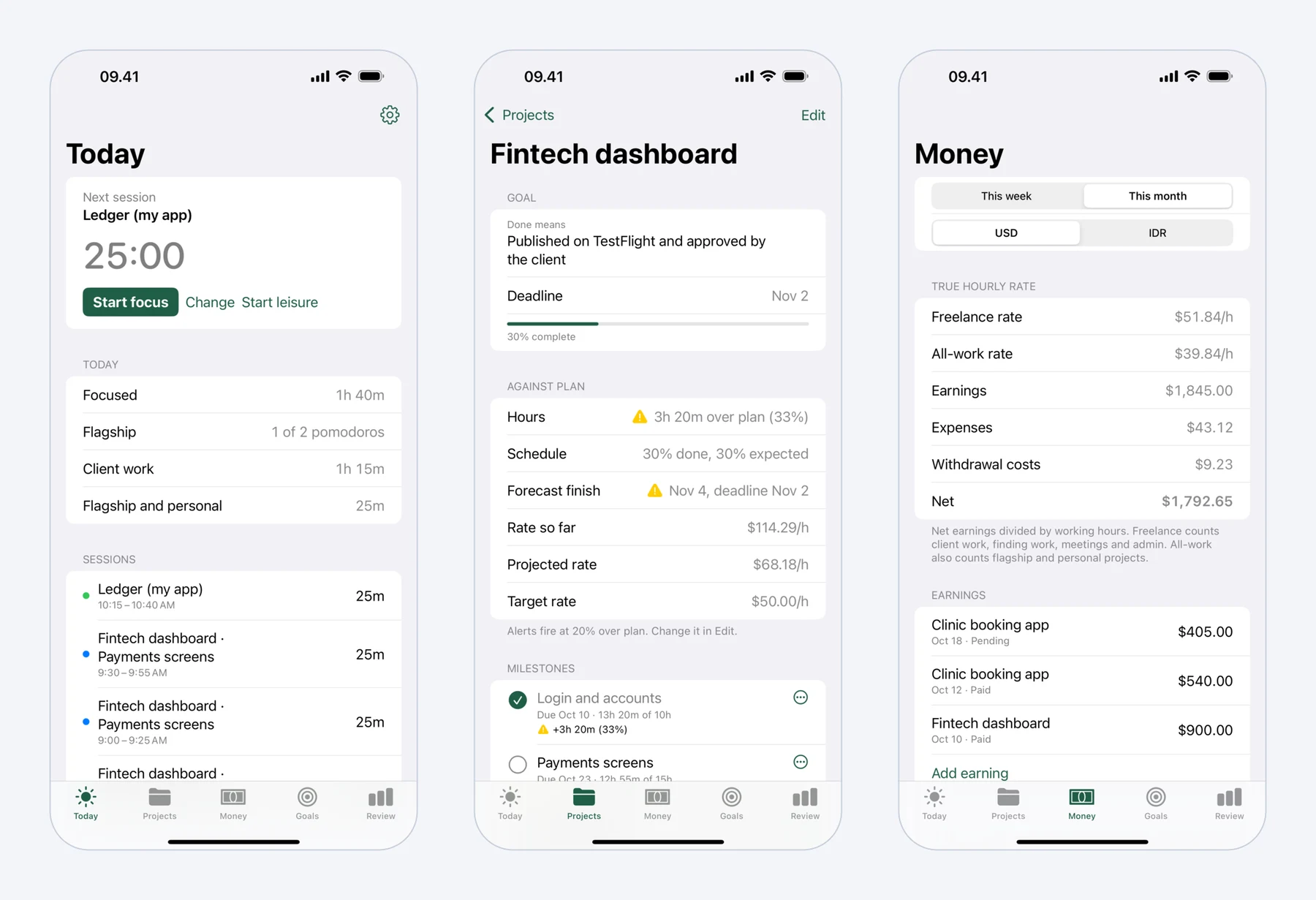 Mindset on iPhone: today's pomodoros, a fixed-price project against its plan, and what the work really paid per hour.
FAQ
How much does Upwork take from freelancers in 2026?
The freelancer service fee is 0% to 15% per contract, shown before you submit a proposal or accept an offer and fixed for that contract. Direct Contracts cost 5%, or 0% with Freelancer Plus. Connects, memberships and withdrawal fees come on top.
How much do Upwork Connects cost?
Connects cost $0.15 each, sold in bundles with a minimum of 10. The number a proposal needs varies by job and is shown on the job post.
Do I get my Connects back if I don't get the job?
Usually not. Connects return to your account only if the client cancels the job before hiring or Upwork removes the post.
What is the cheapest way to withdraw money from Upwork?
It depends on your country and currency. Outside the US, Upwork describes Direct to Local Bank, at $0.99, as often the fastest and cheapest option, but its partner's exchange rate can cost more than the fee. Compare what actually arrives in your bank.
Is Freelancer Plus worth it?
Not for Connects alone: at $0.15 each, the same Connects cost less on Basic. It can pay off if you bill clients through Direct Contracts, where it removes the 5% fee, or if you rely on its bid insights and job alerts.