dbPlus vs DataGrip
DataGrip is a full JetBrains SQL IDE and dbPlus a lighter native Mac client. We compare price, licensing, databases, refactoring and safety features.
Choose DataGrip if you want a full SQL IDE: deep code analysis, refactoring, version control and support for dozens of databases on any desktop system. Choose dbPlus if you work on a Mac with PostgreSQL, MySQL, MariaDB, SQLite or SQL Server and want a lighter native client with safety checks around edits, at USD 19 a year for Premium. DataGrip is available now and free for non-commercial use; dbPlus is coming to the Mac App Store and is not released yet.
Full disclosure: dbPlus is our product. DataGrip is the stronger tool for many developers, and we say where.
At a glance
| DataGrip | dbPlus | |
|---|---|---|
| Status | Released (2026.2 in July 2026) | Coming to the Mac App Store, not released yet |
| Type of tool | SQL IDE on the JetBrains platform | Native Mac database client |
| Databases | 51 across complete and basic support, including Oracle, Snowflake, MongoDB and Redis | PostgreSQL, MySQL, MariaDB, SQLite, SQL Server |
| Platforms | macOS 15 and 26, Windows 10 and 11, Linux | macOS 14 Sonoma or later |
| Listed hardware needs | 4 CPU cores, 8 GB RAM, 10 GB disk | Apple silicon or Intel Mac |
| Individual price | USD 109, then 87, then 65 a year, or USD 10.90 a month | Free; Premium USD 19 a year |
| Organization price | USD 259 per user a year | No separate team pricing |
| Free option | Free for non-commercial use; 30-day trial | Free version with 2 connections and 3 tabs |
| Refactoring | Rename with usages, introduce variable | None |
| Pending edits | Submit with a DML preview; auto or manual transactions | Color-coded staging, SQL preview, one-transaction commit |
| Production guard | Read-only data sources, connection colors | Production marking, WHERE check, lost-transaction warning |
| Query plans | Tree, diagram and flame graph | Tree that points out slow steps |
| Version control | Built in (Git, SVN, Mercurial and others) | Saved queries are .sql files you can keep in git |
| AI | JetBrains AI with a choice of models | None |
What DataGrip does that dbPlus does not
DataGrip is an IDE first. Its editor understands your schema: completion uses table structure and foreign keys, and on-the-fly analysis flags unresolved objects and offers fixes. Rename refactoring (Shift+F6) renames a table or column and updates its usages in your SQL, and Introduce Variable pulls an expression out into a variable. dbPlus has none of this. It has autocomplete for tables, columns and aliases, but no refactoring.
DataGrip also connects to far more systems. Its data sources documentation lists 28 databases with complete support and 23 with basic support, including ClickHouse, BigQuery, DuckDB and MongoDB. dbPlus supports five.
Query plans go deeper too. DataGrip can show a plan only, or run the statement and report timings where the database supports it, and it displays plans as a tree, a diagram or a flame graph. Its JetBrains AI can write, fix and optimize queries using your schema as context, with models such as Claude, GPT, Gemini, Grok or a local model. The 2026.2 release added MCP tools and CLI commands for managing data sources. Version control is built in.
Finally, DataGrip runs on Windows and Linux as well as the Mac, and JetBrains ships the same database tools inside some of its other paid IDEs.
What dbPlus does differently
dbPlus is built only for the Mac and needs macOS 14 Sonoma or later on Apple silicon or Intel. DataGrip's installation guide lists 4 CPU cores, 8 GB of RAM with 3 GB available to the IDE, and 10 GB of disk space, and it bundles its own JetBrains Runtime. If you want a database window that opens like any other Mac app and stays out of the way, dbPlus is closer to that.
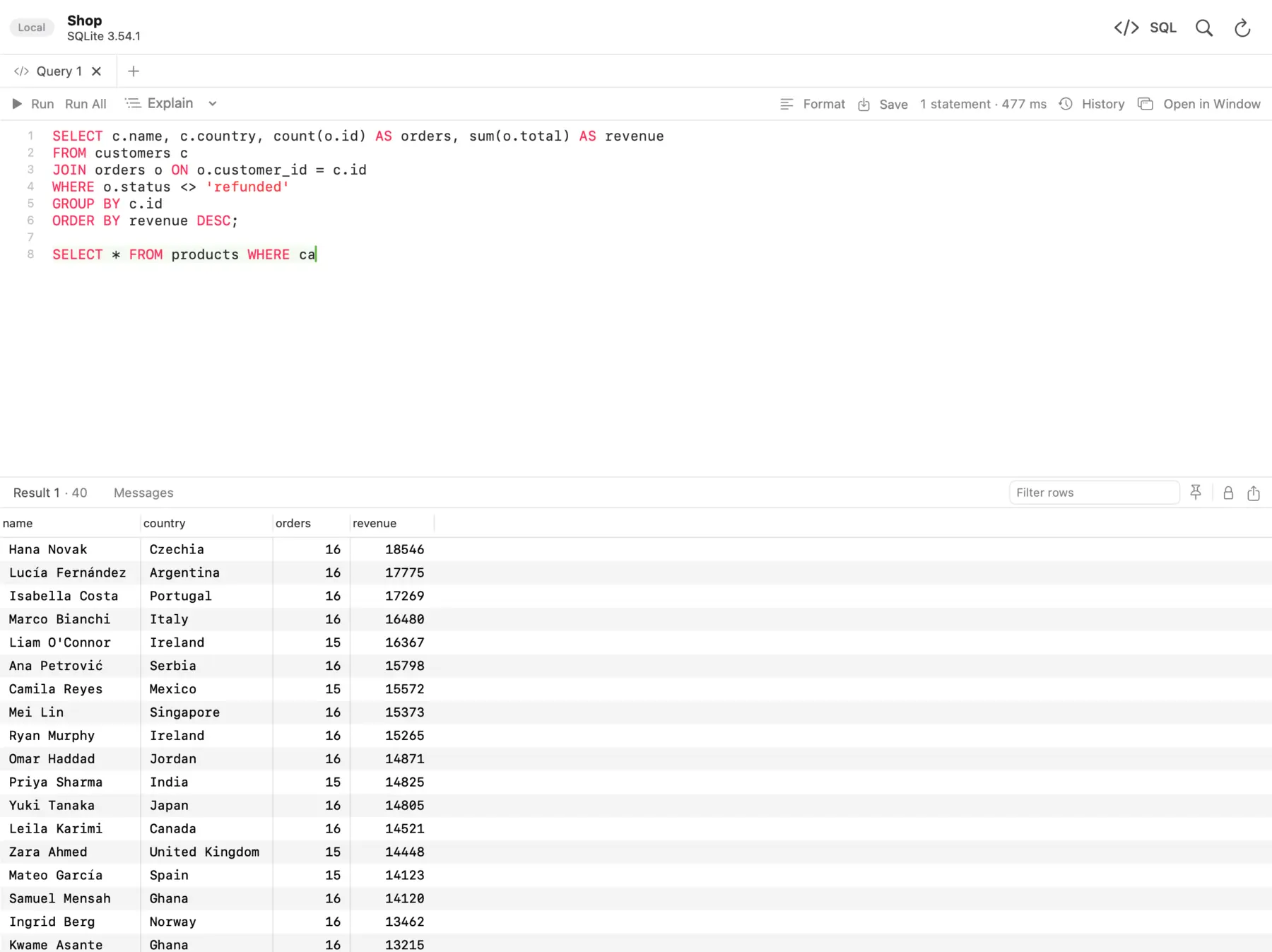 The dbPlus SQL editor, with the query's results below it.
Its focus is on safe editing. Changed cells turn amber, new rows green and deleted rows red, and the footer counts the changes. You preview the exact SQL, then commit everything in one transaction or discard it. A connection marked Production asks before anything writes to it, and an UPDATE or DELETE without a WHERE clause asks first. After sleep or a dropped connection, dbPlus reconnects by itself and tells you when an open transaction was lost.
In the editor, parameters such as :customer_id ask for a value when you run and remember it. Explain shows the plan as a tree and points out the slow steps. Saved queries are plain .sql files in a folder you choose. With Premium you also get exports to CSV, Excel, JSON, Markdown, HTML and SQL, database dumps and restores, and table copies between databases, even across engines.
dbPlus collects no data and sends nothing to Nicecoder. Passwords stay in the Keychain.
Safety compared
DataGrip handles pending edits well. In its data editor, changes are not sent to the database until you submit them, and since 2025.2 a DML Preview dialog shows the generated statements first. In manual transaction mode, submitted changes collect in a transaction you can commit or roll back. You can mark a data source read-only and give it a color that appears in the explorer, editor tabs, grids and toolbars. JetBrains' data source settings docs note that if a driver does not support read-only status, changes may still be possible from the query console.
dbPlus has the same kind of read-only caveat: it relies on the database to enforce read-only connections, where the database allows it. Neither app replaces a database user that only has read permissions. The differences are in the extras. dbPlus asks before any write on a Production connection, catches a missing WHERE, and tells you when a reconnect lost an open transaction. Our guide to editing production data safely covers the database-side protections that work with either client.
Price and licensing
DataGrip's pricing page lists these prices before tax in October 2026. For individuals, it costs USD 109 for the first year, USD 87 for the second and USD 65 from the third year, or USD 10.90 a month. Organizations pay USD 259 per user a year, or USD 25.90 a month. DataGrip is also part of the All Products Pack, which costs individuals USD 299 for the first year. There is a 30-day trial.
Since 1 October 2025, DataGrip has been free for non-commercial use: learning, hobby projects, open source work and content creation. Under JetBrains' non-commercial license terms, providing paid services counts as commercial use, so freelance client work needs a paid license. The free license also has usage data collection turned on by default. An individual license you pay for yourself can be used for commercial work, but an employer cannot buy or reimburse it.
dbPlus is free for everyday work with two connections and three tabs open at a time. dbPlus Premium costs USD 19 a year through the Mac App Store, with a one-week free trial for new subscribers.
Here is a worked example for a freelancer over three years, before tax. DataGrip's individual license would cost USD 109 + 87 + 65 = USD 261. dbPlus Premium would cost 3 × USD 19 = USD 57. If you already pay for a JetBrains IDE that includes the database tools, DataGrip may cost you nothing extra, and the comparison changes.
Pick DataGrip if
- You write a lot of SQL and want refactoring, code analysis and version control in the same tool.
- You use databases beyond the five dbPlus supports, such as Oracle, Snowflake, BigQuery, MongoDB or Redis.
- You work on Windows or Linux as well as a Mac.
- Your SQL work is non-commercial, so the free license applies.
- You already pay for a JetBrains IDE or the All Products Pack.
- You need a client today.
Pick dbPlus if
- You work on a Mac with PostgreSQL, MySQL, MariaDB, SQLite or SQL Server.
- You want a lighter native app rather than a full IDE.
- You want staged edits committed in one transaction, prompts before writes on production, and a check on
UPDATEorDELETEwithoutWHERE. - You do paid client work and USD 19 a year suits you better than an IDE subscription.
- You want a client that collects no data.
- You can wait for the release.
Which one should you pick?
If SQL is a large part of your job, DataGrip is worth its price. The refactoring, the schema-aware editor and the plan views pay off most on large SQL codebases, and the non-commercial license makes it free for learning and side projects. If you mostly browse tables, fix rows and run queries against a handful of databases on a Mac, an IDE can be more than you need, and dbPlus is designed for that day-to-day work. You can follow its release on the dbPlus page.
For more options, see the 10 best SQL clients for Mac or our dbPlus vs DBeaver comparison. If query plans are new to you, start with how to read a PostgreSQL EXPLAIN plan.
Prices and features were checked on the vendors' sites in October 2026.
FAQ
Is DataGrip free in 2026?
DataGrip is free for non-commercial use, such as learning, hobby projects, open source and content creation, under a license JetBrains introduced on 1 October 2025. Commercial use needs a paid license, starting at USD 109 for the first year for individuals. There is also a 30-day free trial.
Can I use the free DataGrip license for freelance work?
No. JetBrains' non-commercial terms count providing paid services as commercial use. A freelancer can buy an individual license, which allows commercial work, at USD 109 for the first year or USD 10.90 a month.
Does dbPlus have refactoring like DataGrip?
No. dbPlus has autocomplete for tables, columns and aliases, snippets, Format SQL and several cursors, but no rename refactoring or code analysis. If those matter to you, DataGrip is the better tool.
Do I need DataGrip if I already use another JetBrains IDE?
Maybe not. JetBrains ships DataGrip's database tools inside some of its other paid IDEs, so check your IDE's database features before buying DataGrip separately. The standalone app is still useful if you want a window dedicated to databases.